How to Delete Bulbul
Published by: Bulbool MMCRelease Date: September 10, 2024
Need to cancel your Bulbul subscription or delete the app? This guide provides step-by-step instructions for iPhones, Android devices, PCs (Windows/Mac), and PayPal. Remember to cancel at least 24 hours before your trial ends to avoid charges.
Guide to Cancel and Delete Bulbul
Table of Contents:


Bulbul Unsubscribe Instructions
Unsubscribing from Bulbul is easy. Follow these steps based on your device:
Canceling Bulbul Subscription on iPhone or iPad:
- Open the Settings app.
- Tap your name at the top to access your Apple ID.
- Tap Subscriptions.
- Here, you'll see all your active subscriptions. Find Bulbul and tap on it.
- Press Cancel Subscription.
Canceling Bulbul Subscription on Android:
- Open the Google Play Store.
- Ensure you’re signed in to the correct Google Account.
- Tap the Menu icon, then Subscriptions.
- Select Bulbul and tap Cancel Subscription.
Canceling Bulbul Subscription on Paypal:
- Log into your PayPal account.
- Click the Settings icon.
- Navigate to Payments, then Manage Automatic Payments.
- Find Bulbul and click Cancel.
Congratulations! Your Bulbul subscription is canceled, but you can still use the service until the end of the billing cycle.
Potential Savings for Bulbul
Knowing the cost of Bulbul's in-app purchases helps you save money. Here’s a summary of the purchases available in version 1.45:
| In-App Purchase | Cost | Potential Savings (One-Time) | Potential Savings (Monthly) |
|---|---|---|---|
| post promotion 800 | $7.99 | $7.99 | $96 |
| Month company VIP | $9.99 | N/A | $120 |
| Six month company VIP | $54.99 | N/A | $660 |
| Year company VIP | $99.99 | $99.99 | $1,200 |
| post promotion 1000 | $9.99 | $9.99 | $120 |
| post promotion 400 | $3.99 | $3.99 | $48 |
| post promotion 500 | $4.99 | $4.99 | $60 |
| post promotion 600 | $5.99 | $5.99 | $72 |
| post promotion 700 | $6.99 | $6.99 | $84 |
| post promotion 900 | $7.99 | $7.99 | $96 |
Note: Canceling your subscription does not remove the app from your device.
How to Delete Bulbul - Bulbool MMC from Your iOS or Android
Delete Bulbul from iPhone or iPad:
To delete Bulbul from your iOS device, follow these steps:
- Locate the Bulbul app on your home screen.
- Long press the app until options appear.
- Select Remove App and confirm.
Delete Bulbul from Android:
- Find Bulbul in your app drawer or home screen.
- Long press the app and drag it to Uninstall.
- Confirm to uninstall.
Note: Deleting the app does not stop payments.
How to Get a Refund
If you think you’ve been wrongfully billed or want a refund for Bulbul, here’s what to do:
- Apple Support (for App Store purchases)
- Google Play Support (for Android purchases)
If you need help unsubscribing or further assistance, visit the Bulbul forum. Our community is ready to help!
What is Bulbul?
Most deleted social media apps 2023:
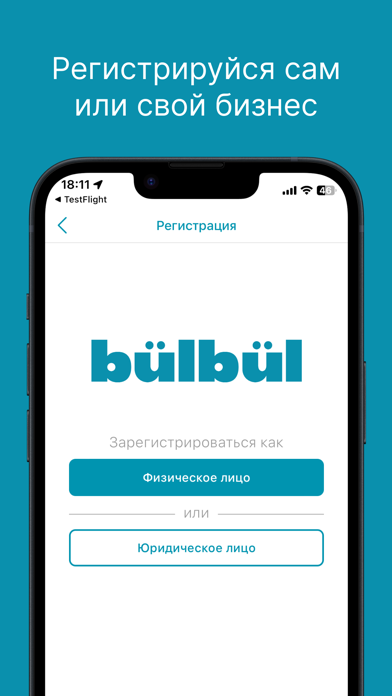
Здесь вы можете найти новых друзей, как по соседству, так и за много километров от вас. Следить за деятельностью интересующих вас организаций и предприятий. Представить свою компанию или услугу. Вы можете создать свой блог и общаться с вашими читателями.
Отличительная черта нашей социальной сети — это разделение пользователей на юридических лиц (компании, общества, услуги и т. д.) и физических лиц. Тем самым мы диверсифицируем функциональность социальной сети Bulbul для наших пользователей. Это не просто платформа для общения или ведения блога/влога, это в том числе инструмент для самозанятых, малого и среднего предпринимательства, желающего найти новые рынки сбыта для своих услуг и продукции.
Расширенный поиск и система рейтинга, основанная на отзывах других пользователей, позволят быстро и качественно подобрать необходимую услугу или продукцию, а при помощи функции карты вы сможете определить точное местоположение искомого специалиста или предприятия.
В разделе “Сообщения” вы можете общаться как с одним, так и с несколькими пользователями в одной беседе. Вы можете приглашать пользователей в беседу или запретить добавление себя в незнакомые беседы.
Команда Bulbul с особым вниманием относится к каждому из своих пользователей, поэтому время обработки и ответа на обращения может занимать несколько дней.
https://bulbool.online/docs/terms.html