How to Delete Ensonhaber
Published by: EnsonhabercomRelease Date: July 17, 2024
Need to cancel your Ensonhaber subscription or delete the app? This guide provides step-by-step instructions for iPhones, Android devices, PCs (Windows/Mac), and PayPal. Remember to cancel at least 24 hours before your trial ends to avoid charges.
Guide to Cancel and Delete Ensonhaber
Table of Contents:



Ensonhaber Unsubscribe Instructions
Unsubscribing from Ensonhaber is easy. Follow these steps based on your device:
Canceling Ensonhaber Subscription on iPhone or iPad:
- Open the Settings app.
- Tap your name at the top to access your Apple ID.
- Tap Subscriptions.
- Here, you'll see all your active subscriptions. Find Ensonhaber and tap on it.
- Press Cancel Subscription.
Canceling Ensonhaber Subscription on Android:
- Open the Google Play Store.
- Ensure you’re signed in to the correct Google Account.
- Tap the Menu icon, then Subscriptions.
- Select Ensonhaber and tap Cancel Subscription.
Canceling Ensonhaber Subscription on Paypal:
- Log into your PayPal account.
- Click the Settings icon.
- Navigate to Payments, then Manage Automatic Payments.
- Find Ensonhaber and click Cancel.
Congratulations! Your Ensonhaber subscription is canceled, but you can still use the service until the end of the billing cycle.
How to Delete Ensonhaber - Ensonhabercom from Your iOS or Android
Delete Ensonhaber from iPhone or iPad:
To delete Ensonhaber from your iOS device, follow these steps:
- Locate the Ensonhaber app on your home screen.
- Long press the app until options appear.
- Select Remove App and confirm.
Delete Ensonhaber from Android:
- Find Ensonhaber in your app drawer or home screen.
- Long press the app and drag it to Uninstall.
- Confirm to uninstall.
Note: Deleting the app does not stop payments.
How to Get a Refund
If you think you’ve been wrongfully billed or want a refund for Ensonhaber, here’s what to do:
- Apple Support (for App Store purchases)
- Google Play Support (for Android purchases)
If you need help unsubscribing or further assistance, visit the Ensonhaber forum. Our community is ready to help!
What is Ensonhaber?
Android#39;de sİlİnen fotoĞraflari gerİ getİrme #shorts:
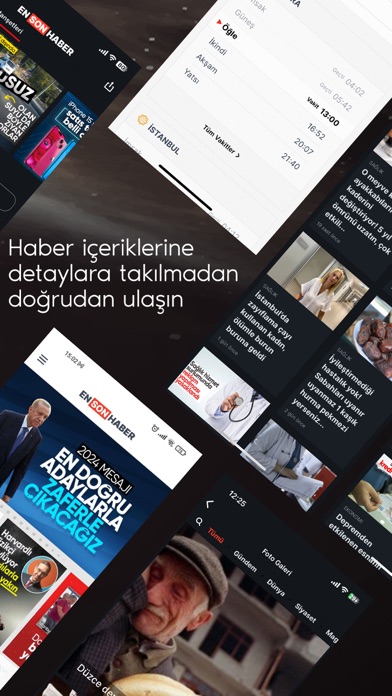
Ensonhaber’i öne çıkaran nefis manşetlere ve sürekli güncellenen son dakika haberlerine mobil olarak da ulaşmanızı sağlayan uygulamada özellikle üyelik sistemi ve haber başlıklarına yorum yapabilme özelliği öne çıkıyor.
Yorum yazıp kendi fikirlerinizi ve görüşlerinizi paylaşabileceğiniz sistem aynı zamanda bir çok özelliği de bünyesinde barındırıyor.
Ensonhaber’e üye olan kullanıcılar haber başlıklarına yazdıkları yorumları kendi profil sayfalarından görüntüleyebiliyor, böylece beğeni sayısı, yanıtlar, takdirler ve daha fazla etkileşim üzerinde de kontrol sahibi olabiliyor. Doğrulanmış hesaba ait üyeler yorumlarını editör onayına takılmadan paylaşabilir ve aynı zamanda onaylı hesap olduğuna dair kullanıcı adinin yanında mavi bir simge görünür. Haber başlıklarına yazılan yorumlar arasında en çok beğeni alan yorum üzerinde bir taç simgesi görünür ve bu simgeye sahip olduğunuzda kullanıcı adınız ‘’takdir edilen yorumcu’’ etiketiyle en tepede görünür.
Video haberler ile videoları tek tıkla izleyebilir, ensonhaber.com'un muhteşem galerilerine de ulaşabilirsiniz. FotoHaber tarzını en iyi uygulayan haber portallarının başında gelen Ensonhaber galerilerinden mobil cihazlarınız ile de istifade edebilirsiniz.
Ensonhaber.com haberleri, aslında nedir sorusuna cevap veren bakış açısı ile artık cihazınızda. İndirin, kurun haberiniz olsun.