How to Delete FTR: Feel The Road
Published by: Abu ShahmaRelease Date: March 10, 2026
Need to cancel your FTR: Feel The Road subscription or delete the app? This guide provides step-by-step instructions for iPhones, Android devices, PCs (Windows/Mac), and PayPal. Remember to cancel at least 24 hours before your trial ends to avoid charges.
Guide to Cancel and Delete FTR: Feel The Road
Table of Contents:
FTR: Feel The Road Unsubscribe Instructions
Unsubscribing from FTR: Feel The Road is easy. Follow these steps based on your device:
Canceling FTR: Feel The Road Subscription on iPhone or iPad:
- Open the Settings app.
- Tap your name at the top to access your Apple ID.
- Tap Subscriptions.
- Here, you'll see all your active subscriptions. Find FTR: Feel The Road and tap on it.
- Press Cancel Subscription.
Canceling FTR: Feel The Road Subscription on Android:
- Open the Google Play Store.
- Ensure you’re signed in to the correct Google Account.
- Tap the Menu icon, then Subscriptions.
- Select FTR: Feel The Road and tap Cancel Subscription.
Canceling FTR: Feel The Road Subscription on Paypal:
- Log into your PayPal account.
- Click the Settings icon.
- Navigate to Payments, then Manage Automatic Payments.
- Find FTR: Feel The Road and click Cancel.
Congratulations! Your FTR: Feel The Road subscription is canceled, but you can still use the service until the end of the billing cycle.
How to Delete FTR: Feel The Road - Abu Shahma from Your iOS or Android
Delete FTR: Feel The Road from iPhone or iPad:
To delete FTR: Feel The Road from your iOS device, follow these steps:
- Locate the FTR: Feel The Road app on your home screen.
- Long press the app until options appear.
- Select Remove App and confirm.
Delete FTR: Feel The Road from Android:
- Find FTR: Feel The Road in your app drawer or home screen.
- Long press the app and drag it to Uninstall.
- Confirm to uninstall.
Note: Deleting the app does not stop payments.
How to Get a Refund
If you think you’ve been wrongfully billed or want a refund for FTR: Feel The Road, here’s what to do:
- Apple Support (for App Store purchases)
- Google Play Support (for Android purchases)
If you need help unsubscribing or further assistance, visit the FTR: Feel The Road forum. Our community is ready to help!
What is FTR: Feel The Road?
Racing game. No screen needed.
You tilt your phone. You hear the track bend. You try not to crash.
That's pretty much it — and it's genuinely unlike anything you've played before.
FTR is a racing game built entirely around sound and motion. No visuals, no looking down, no exceptions. It was designed from the start to be fully accessible to blind and visually impaired players, which means the audio isn't a workaround — it is the game.
Here's how it works
Hold your phone like a steering wheel and tilt to steer. The 3D audio tells you everything else: where the road is going, what's coming at you, how fast you're moving. You learn to trust your ears pretty quickly. You also learn what it feels like to wipe out at high speed without ever seeing it coming.
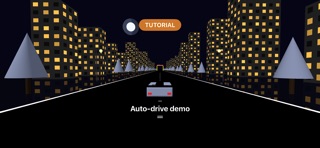
Before you race, two voice-guided tutorials walk you through the controls. The whole app — menus, countdowns, results — is fully narrated and VoiceOver compatible. Nothing requires you to see the screen.
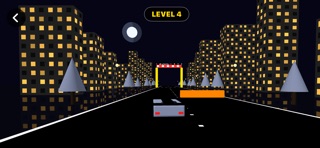
Once you're ready, the career mode throws increasingly brutal tracks at you. Longer courses. Sharper curves. Faster obstacles. Tracks that stretch past 1,500 meters where one bad tilt ends your run.
The basics: