How to Delete Kicking OFF
Published by: Ghulam AbbasRelease Date: April 15, 2024
Need to cancel your Kicking OFF subscription or delete the app? This guide provides step-by-step instructions for iPhones, Android devices, PCs (Windows/Mac), and PayPal. Remember to cancel at least 24 hours before your trial ends to avoid charges.
Guide to Cancel and Delete Kicking OFF
Table of Contents:
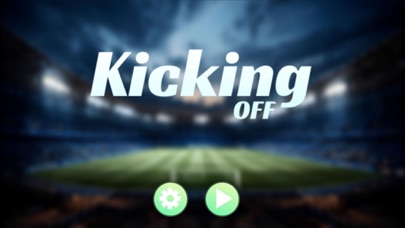


Kicking OFF Unsubscribe Instructions
Unsubscribing from Kicking OFF is easy. Follow these steps based on your device:
Canceling Kicking OFF Subscription on iPhone or iPad:
- Open the Settings app.
- Tap your name at the top to access your Apple ID.
- Tap Subscriptions.
- Here, you'll see all your active subscriptions. Find Kicking OFF and tap on it.
- Press Cancel Subscription.
Canceling Kicking OFF Subscription on Android:
- Open the Google Play Store.
- Ensure you’re signed in to the correct Google Account.
- Tap the Menu icon, then Subscriptions.
- Select Kicking OFF and tap Cancel Subscription.
Canceling Kicking OFF Subscription on Paypal:
- Log into your PayPal account.
- Click the Settings icon.
- Navigate to Payments, then Manage Automatic Payments.
- Find Kicking OFF and click Cancel.
Congratulations! Your Kicking OFF subscription is canceled, but you can still use the service until the end of the billing cycle.
How to Delete Kicking OFF - Ghulam Abbas from Your iOS or Android
Delete Kicking OFF from iPhone or iPad:
To delete Kicking OFF from your iOS device, follow these steps:
- Locate the Kicking OFF app on your home screen.
- Long press the app until options appear.
- Select Remove App and confirm.
Delete Kicking OFF from Android:
- Find Kicking OFF in your app drawer or home screen.
- Long press the app and drag it to Uninstall.
- Confirm to uninstall.
Note: Deleting the app does not stop payments.
How to Get a Refund
If you think you’ve been wrongfully billed or want a refund for Kicking OFF, here’s what to do:
- Apple Support (for App Store purchases)
- Google Play Support (for Android purchases)
If you need help unsubscribing or further assistance, visit the Kicking OFF forum. Our community is ready to help!
What is Kicking OFF?
Cm punk is home and kicking off #smackdown 🔥:
In Penalty Shootout mode, the pressure is on as you face off against the goalkeeper in heart-pounding one-on-one showdowns. With four diverse options to play, including Classic, Precision, Power, and Curve, every kick is a chance to showcase your skills and outsmart the keeper. But the action doesn't stop there. Enter the Tournament Championship mode and compete against top teams from around the world. Lead your squad through intense matches, strategize your plays, and dominate the field to claim victory.
With innovative controls designed for mobile gaming, Kicking OFF offers a seamless experience. Swipe and tap your way to success with intuitive controls for passing, shooting, and threading the perfect through ball. To immerse yourself fully in the game, Kicking OFF offers multiple camera angles, allowing you to choose the perspective that suits your playing style best. Whether you prefer the intensity of a close-up view or the tactical insight of a wider angle, the choice is yours.
Get ready to experience the excitement, drama, and passion of football like never before with Kicking OFF on iOS. Lace up your virtual boots, step onto the pitch, and become a legend in the world of mobile football gaming.