How to Delete Power DOS
Published by: Pilcrow AGRelease Date: January 16, 2017
Need to cancel your Power DOS subscription or delete the app? This guide provides step-by-step instructions for iPhones, Android devices, PCs (Windows/Mac), and PayPal. Remember to cancel at least 24 hours before your trial ends to avoid charges.
Guide to Cancel and Delete Power DOS
Table of Contents:
Power DOS Unsubscribe Instructions
Unsubscribing from Power DOS is easy. Follow these steps based on your device:
Canceling Power DOS Subscription on iPhone or iPad:
- Open the Settings app.
- Tap your name at the top to access your Apple ID.
- Tap Subscriptions.
- Here, you'll see all your active subscriptions. Find Power DOS and tap on it.
- Press Cancel Subscription.
Canceling Power DOS Subscription on Android:
- Open the Google Play Store.
- Ensure you’re signed in to the correct Google Account.
- Tap the Menu icon, then Subscriptions.
- Select Power DOS and tap Cancel Subscription.
Canceling Power DOS Subscription on Paypal:
- Log into your PayPal account.
- Click the Settings icon.
- Navigate to Payments, then Manage Automatic Payments.
- Find Power DOS and click Cancel.
Congratulations! Your Power DOS subscription is canceled, but you can still use the service until the end of the billing cycle.
How to Delete Power DOS - Pilcrow AG from Your iOS or Android
Delete Power DOS from iPhone or iPad:
To delete Power DOS from your iOS device, follow these steps:
- Locate the Power DOS app on your home screen.
- Long press the app until options appear.
- Select Remove App and confirm.
Delete Power DOS from Android:
- Find Power DOS in your app drawer or home screen.
- Long press the app and drag it to Uninstall.
- Confirm to uninstall.
Note: Deleting the app does not stop payments.
How to Get a Refund
If you think you’ve been wrongfully billed or want a refund for Power DOS, here’s what to do:
- Apple Support (for App Store purchases)
- Google Play Support (for Android purchases)
If you need help unsubscribing or further assistance, visit the Power DOS forum. Our community is ready to help!
What is Power DOS?
نتيجة خيالية من أول إستعمال? ديريه فوق شعرك لي يتقطع و محروق و يتكسر وشوفي النتيجة مراحش تأمني?:
NEW: Sound emulation and external Bluetooth Keyboard enabled!
The first Disk Operating Systems were introduced when Tape Memory was replaced with rotating Disks. This was in the 60'ies of the last century. Since then a lot has changed, but many of us remember the days when there was no Graphical User Interface.
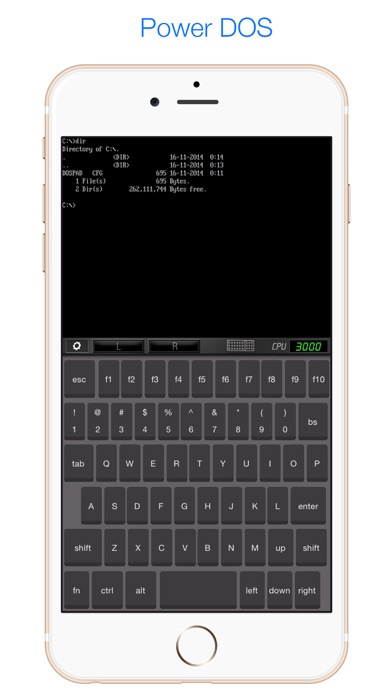
This app now is introducing DOS for mobile devices. Not laptops, but phones. iPhone and iPad, to be precise. It is a perfect emulator of the DOS that so many games and applications in the 80'ies and 90'ies have been running on.
Win and Win95 were running on DOS, showing what a 16bit operating system is capable of. If sys ini, commanc.com, config.sys and .exe sound familiar to you, then this is the app for you.
The DOS is not just a CLI, it is a full fledged operating system. It does everything that the Ancient DOS did. It is capable of executing batch files or installing some of the game classics that never made it past DOS. It probably runs much better than the original DOS used to run on old PC's, which were state of the art back then.