Air Quality Reader
Published by Bret Taylor on Oct 11, 2020
Genre: Weather
Ratings: 4.28
Version: 1.2
Updated: Aug 29, 2021
Downloads: 683
Air Quality Reader is a weather app developed by Bret Taylor. Available as a free download, it was updated to v1.20 on August 29, 2021, and currently holds a 4.28 out of 5 rating based on 126 reviews. Before downloading, make sure your device has at least 4 MB of free space and runs Android 13+ or iOS 14.0+.
Real-time air quality readings
Video: Air Quality Reader Overview
Description
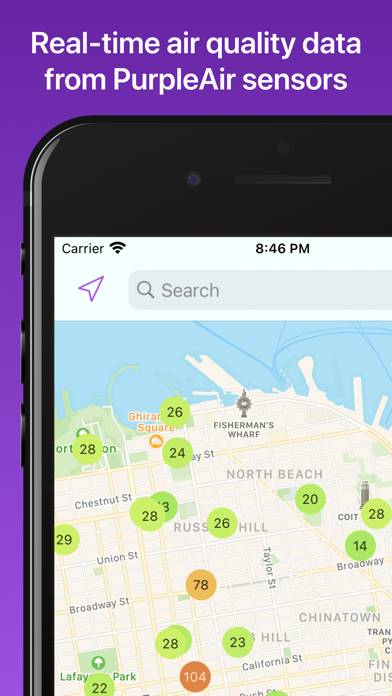
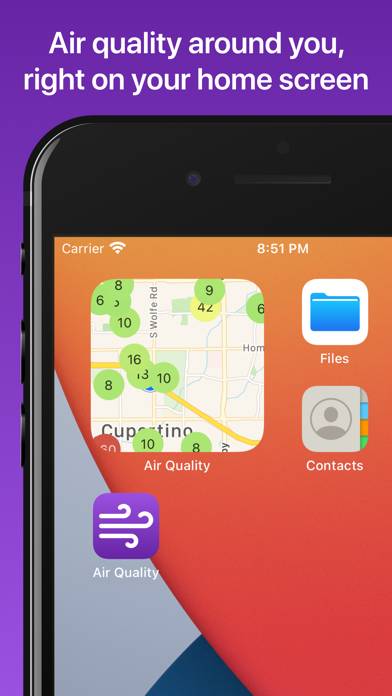
See real-time air quality index (AQI) readings from PurpleAir sensors around the world. Widgets enable you to get a map of real-time AQI readings directly on your home screen.
Show more
Download Air Quality Reader
Scan to Get the App!

Using Air Quality Reader on PC or Mac
Air Quality Reader can be played on Windows and macOS using Android emulators such as BlueStacks. Download an APK version and follow our BlueStacks installation guide to get started. For help with downloading or installing APK files, visit our forums.
User Reviews and Ratings
★★☆☆☆ False data! Guard your health
I’ve noticed that the air quality sensors have not changed in 2+ months. They’re all reading green in my area regardless of EPA or Purple selected.
Yet when checking other apps or Apple weather I’m getting health warnings with drastically different readings at the same time. I’m very upset I’ve been using this app the whole time post-fires, this is a huge health hazard to be misleading people.
★★☆☆☆ Sensors disappeared
A couple years ago I could see the numbers on outdoor sensors in my area. Now I only see indoor sensor numbers. Why?
★★★★★ Widget!
This app has a map widget! Now I don’t have to consciously check; there’s just a map starting at me whenever I check my phone. This will prevent at least one asthma attack for me as smoke season begins, and probably more.
★★★★★ Great Job
Exactly what I wanted for both the app and the widget!
★★☆☆☆ Why no Purple Air indoor sensor - can’t find app in IOS settings
Read all reviews
Only displays Outdoor PurpleAir sensor?
Why doesn’t it show up in iOS privacy or
App setting?