Albums: Music Shortcuts
Published by Adam Bell on Apr 18, 2023
Genre: Music
Ratings: 4.72
Version: 1.5
Updated: May 21, 2024
Downloads: 600
Albums: Music Shortcuts is a music app developed by Adam Bell. Available as a free download, it was updated to v1.50 on May 21, 2024, and currently holds a 4.72 out of 5 rating based on 18 reviews. Before downloading, make sure your device has at least 25 MB of free space and runs Android 16+ or iOS 17.0+.
Albums on Your Home Screen
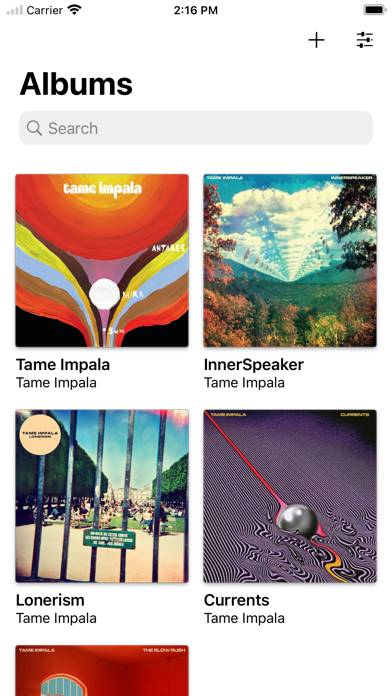
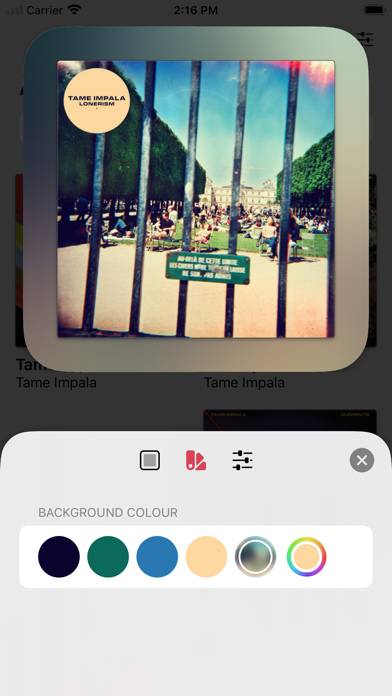
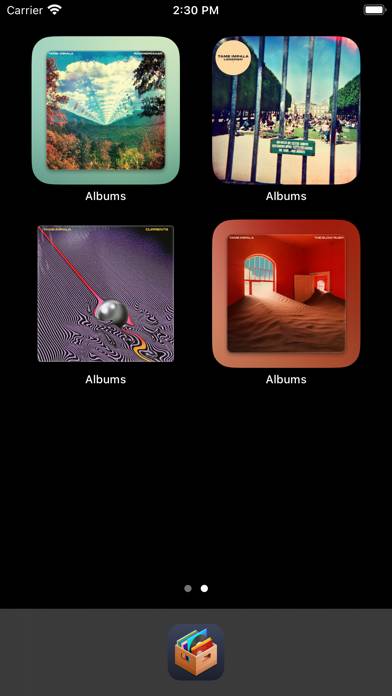
Video: Albums: Music Shortcuts Overview
Description
Albums lets you collect and add your favourite music albums as widgets to your home screen, acting as fast shortcuts to listen to them on your preferred music streaming service.
Show more
Download Albums: Music Shortcuts
Scan to Get the App!

Using Albums: Music Shortcuts on PC or Mac
Albums: Music Shortcuts can be played on Windows and macOS using Android emulators such as BlueStacks. Download an APK version and follow our BlueStacks installation guide to get started. For help with downloading or installing APK files, visit our forums.
User Reviews and Ratings
★★★★★ If Apple won’t add pinning to Apple Music…
…I guess pinning albums to my home screen is the next best thing. Hoping this makes it easier to find my favorite albums, which have a tendency to get buried in my library whenever I add new things I want to listen to. App seems well designed and seems to perform really well.
★★★★☆ Beautiful and simple
Thank you so much for your development on this elegant app. I’ve been doing something similar just using shortcuts and a small home screen icon, but now they can be of all different sizes. I would like to request the ability to add the artist page though, not just the album.
★★★★★ Great App
Would love it if you added Playlists too (naming issues aside that it would create)!
★★★★★ Great app for lack of album section in AM
Apple Music really needs a dedicated section for full albums vs albums where you pulled a single from…
This app fixes that and has a cool widget too! Love it
★★★☆☆ Playlist pinning feature is buggy
Read all reviews
So far, I have only been successful in putting one playlist as a widget in iOS 17.4.1. I can import others via the share button in the playlist, but when I try to put a playlist on the home screen as a widget, the widget comes up blank and tapping on it just takes me to the Albums app. It does look like playlists show up in the random widget, but I’d like to be able to have specific playlists selectable from the home screen. I’ve had this app for a while and really enjoyed having individual alb
Similar Music Apps
Jam Toys
Offline Music Player: MX Music
Top #96 in Music Apps
Earz Solo
Magic Music Tiles: Piano Game
Real Piano™ Classic
Quran Offline | Mallam Jaafar