AR Cybertruck
Published by Pat Carver on Dec 02, 2019
Genre: Racing
Ratings: 4.33
Version: 1.0.1
Updated: Dec 10, 2019
Downloads: 964
AR Cybertruck is a racing simulation game developed by Pat Carver. Available for $1.99, it was updated to v1.00 on December 10, 2019, and currently holds a 4.33 out of 5 rating based on 84 reviews. Before downloading, make sure your device has at least 166 MB of free space and runs Android 10+ or iOS 11.0+.
Augmented Reality Experience
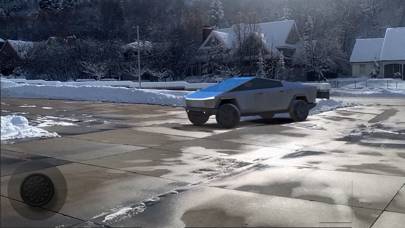
AR Cybertruck Gameplay Overview
Description
Version 1.0.1 Features Include:
Remote Driving. Toggle Headlights. Toggle Rear Hatch and Tonneau Cover.
Show more
Download AR Cybertruck
Scan to Get the App!

How to Play AR Cybertruck on PC or Mac
AR Cybertruck can be played on Windows and macOS using Android emulators such as BlueStacks. Download an APK version and follow our BlueStacks installation guide to get started. For help with downloading or installing APK files, visit our forums.
Version: 1.0.1
User Reviews and Ratings
★★★☆☆ It’s ok
I got this app and it’s kinda cool but also not but for $1.99 it’s a good price
★★★★★ Happy
Works now!!! 😅😎😇
★★★★★ Can’t change the size of the truck
IPhone 6s+ and I can’t change the size of the truck. One the of the demo videos shows that you should be able to do this. There seems to be a slider at the top of the app to resize bit I cant get it to work.
Edit: Thanks for the response developer. I figured it out after the fact. 🙄
★★★☆☆ Can not resize on iPhone 10
Nice app, but I would like to be able to resize the CT to play with the RC. Taping or sliding on the resize tool does not work. I read a similar review about not being able to adjust the size but thought that I would try it anyway. What the heck for 2 bucks I thought I’d give it a try, nope still not working even with latest iPhone update.
Hopefully they can get this working soon.
★★★☆☆ New update not improved
Read all reviews
The previous original version allows variable scaling, but in this version you can’t do that and with full size or other options the truck doesn’t come in at right size/scale.
Most of the time it’s placed either too big or too small.
Also there’s no easy way to take a snapshot or record a video while using the app. The record function is hard to activate and doesn’t put the video in Gallery.
Otherwise this is a fun AR application.
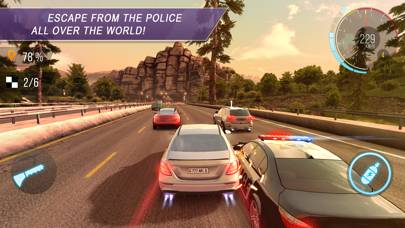
CarX Highway Racing
Top #96 in Racing Apps