Bass Sight Reading Trainer is a music app developed by Rolfs Apps. Available for $1.99, it was updated to v4.61 on September 26, 2024, and currently holds a 4.43 out of 5 rating based on 7 reviews. Before downloading, make sure your device has at least 17 MB of free space and runs Android 11.1+ or iOS 12.1+.
Description
Sight-reading skills open the door to reading written music and familiarizing yourself with various music styles.
Bass Sight Reading Trainer may be playable on Windows and macOS using Android emulators such as BlueStacks. Follow our BlueStacks installation guide to get started. Looking for Bass Sight Reading Trainer APK? Visit our forums for help finding authorized downloads, installing APK files, and troubleshooting installation issues.
User Reviews and Ratings
★★★★★Nice!!!
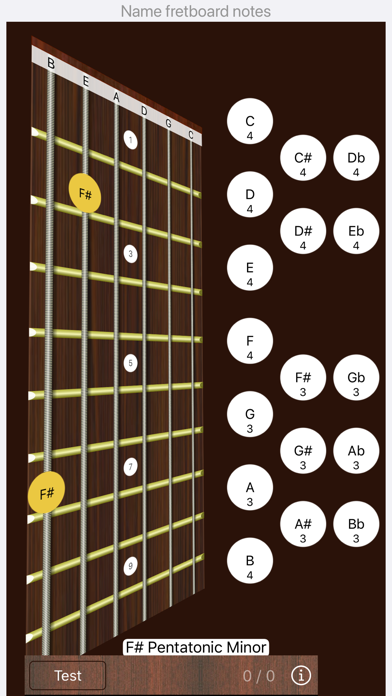
I've been wanting to learn how to read bass clef for a long time. This app was the perfect thing. Shows the staff as I play notes and has a test mode which is really nice. The test mode is "like" guitar hero and it makes the learning / practicing really fun and exciting. Buy it!
★★★★★Excellent reading tool
I had been playing bass for years having poor notation reading skills and slowly counting frets. This app trains you on bass clef notation, learning the notes on the fingerboard (up to the 12th fret), and drilling you in different training modes to identify, locate and match up notes and frets quickly. It tracks your progress in different fret groups. Recommended.
★★★★★Great
Very nice. Defiantly what I was looking for.
★★★☆☆Good
Super basic but does what it says. Designed to only teach you one note at a time rather than chord tones/scales and musical sequences, maybe this can be added. Useful to the absolute beginner, for anyone else Music Theory Pro is more useful and less expensive. Would be 5 stars if it cost less.
★★★★★Great app
This is perfect for learning or simply brushing-up on improving reading and note/sound correlation capabilities.
One feature to add is to sound the note after it is correctly chosen (in test mode). (implement as a user option) This would assist in reinforcing the letter/position/ear training lesson.
Also, slightly decrease the side of the test letter and box – slightly distracting.
It would be cool for the string to slightly vibrate after tapping a note. (user option)