Cisco Secure Client

Published by Cisco on Jun 14, 2017
Cisco Secure Client icon

Genre: Business

Ratings: 3.97

Version: 5.0.05207

Updated: Dec 20, 2023

Downloads: 2,424

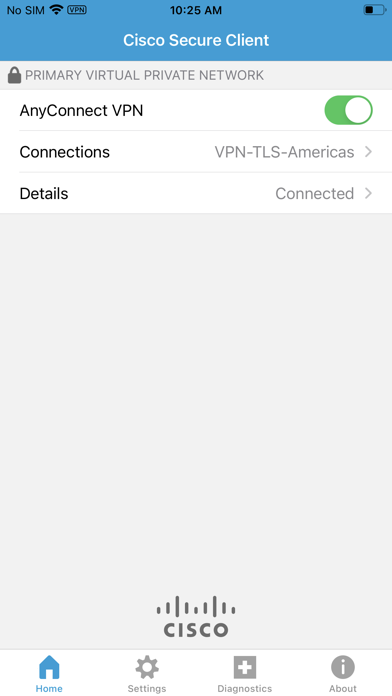
Cisco Secure Client is a business app developed by Cisco. Available as a free download, it was updated to v5.00 on December 20, 2023, and currently holds a 3.97 out of 5 rating based on 2.1K reviews. Before downloading, make sure your device has at least 29 MB of free space and runs Android 12+ or iOS 13.0+.

AnyConnect VPN
Video: Cisco Secure Client Overview

Description

This is the Cisco Secure Client (including AnyConnect VPN) application for Apple iOS. Please report any questions to ac-mobile-feedback@cisco.com.
Show more

Download Cisco Secure Client

Scan to Get the App! QR code for Cisco Secure Client

Using Cisco Secure Client on PC or Mac

Cisco Secure Client may be playable on Windows and macOS using Android emulators such as BlueStacks. Follow our BlueStacks installation guide to get started. Looking for Cisco Secure Client APK? Visit our forums for help finding authorized downloads, installing APK files, and troubleshooting installation issues.

User Reviews and Ratings

★★★☆☆ App disconnecting
Hi App support doesn’t respond to any queries, please fix app keeps on disconnecting without me allowing it to disconnect
★★☆☆☆ Don’t use on macOS
Even though it’s available in the Mac App Store, this app causes all kinds of problems if it’s used outside of iPadOS. Beware.
★★★★★ working perfectly on macOS
Working smooth, no bug, fast on macOS
★★★★☆ Save passport
The android version is capable of saving the passport. Please add it.
★★★★☆ Working well with my macOS 26.4 Beta 2
No issues so far. I wish it were better integrated into the OS so that I didn’t have other launch the app specially, and then click the connect toggle each time I want to connect.
Read all reviews

Similar Business Apps

Superpowers by SYPartners screenshot
Superpowers by SYPartners
Top #93 in Business Apps
Умный диктофон - Лилия screenshot
Умный диктофон - Лилия
MK Signals screenshot
MK Signals
Mein bitkasten screenshot
Mein bitkasten