Create Booklet is a utility app developed by Vogelbusch . Available for $4.99, it was updated to v1.10 on May 18, 2020, and currently holds a 3 out of 5 rating based on 25 reviews. Before downloading, make sure your device has at least 23 MB of free space and runs Android 8+ or iOS 9.0+.
Print anything as a booklet
Video: Create Booklet Overview
Description
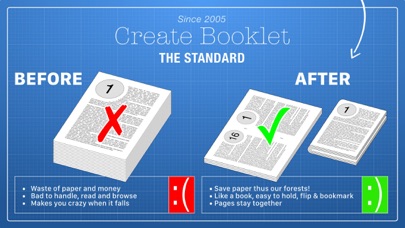
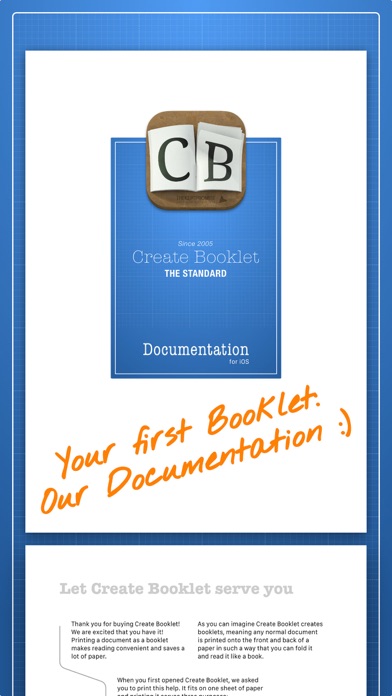
With Create Booklet anything can be printed as a booklet. When you read on paper print a booklet instead of a stack of pages. It's more convenient to hold and saves paper.
Create Booklet may be playable on Windows and macOS using Android emulators such as BlueStacks. Follow our BlueStacks installation guide to get started. Looking for Create Booklet APK? Visit our forums for help finding authorized downloads, installing APK files, and troubleshooting installation issues.
User Reviews and Ratings
★★★★☆Just What I Needed
Printed the booklet just as I set it up in InDesign. The only issue I’m having is if I decided to print another copy from the same pdf that was on the screen it defaults back to the help booklet when I press print, so I have to open again the same document that is already on the screen to get rid of the help booklet that shows only on the preview screen. Must be a glitch. Otherwise, it works good.
★★★★★Artbotanica
I hate taking time to write reviews but since give thanks every time I use it. I am.
Works more reliably than most of the other apps I have. With my duplex printer I can send a pdf or ms word document to it and save a lot if paper. I am researching some topics right now and I have collected quite a few booklets which fit on my bookshelf nicely. Hint: If you are using MS Word, font Franklin Gothic at size 15 gives a good result.
Don’t hesitate - just get the app, get a heavy duty stapler and h
★★★★★Works well.
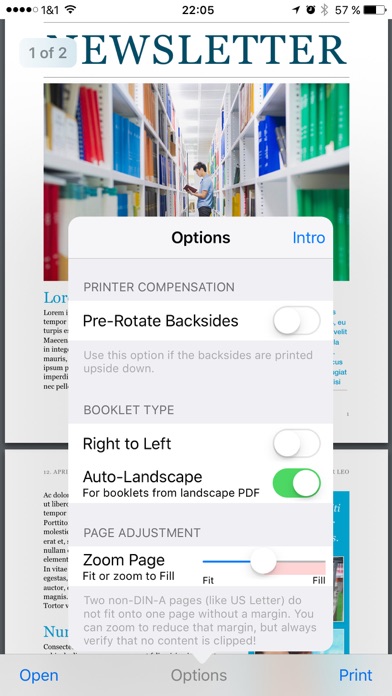
Using this app I was able to print a pdf on my phone as a booklet. Make sure that the “Pre-Rotate Backsides” option is set correctly or every other two page spread will be upside down. The best way to do this is to run a test case. And one bug that I noticed is you have to reopen your document every time that you want to print it, even if it appears to be open. Because when you press the print button and it goes to the print preview, it appears to default to the instruction document unless you r
★★★★☆UPDATED REVIEW!
After restarting my phone I finally got the app to work! You have to hit “print” to see it change format! Was very confusing, but got it to work after an hour lol! Now I know for next time! The app does glitch a lot and moves very slow. Other than that finally getting to work it did what it was suppose to! Would love to see this app improved! Can be an awesome app with a little more work and improvements!
★★★★★Create booklet
I absolutely love the creat book app. Makes everything perfect. I really like the document book of yours as the example of how it will work. Mahalo