- (Dash) Transparent

Published by INNOVATIVE DIGITAL TECHNOLOGIES LIMITED on Nov 11, 2020

- (Dash) Transparent icon

Genre: Utilities

Ratings: 4.16

Version: 1.0.5

Updated: Feb 03, 2021

Downloads: 350

- (Dash) Transparent is a utility app developed by INNOVATIVE DIGITAL TECHNOLOGIES LIMITED. Available as a free download, it was updated to v1.00 on February 03, 2021, and currently holds a 4.16 out of 5 rating based on 49 reviews. Before downloading, make sure your device has at least 1 MB of free space and runs Android 13+ or iOS 14.0+.

Transparent widgets & overlays
Video: - (Dash) Transparent Overview

Description

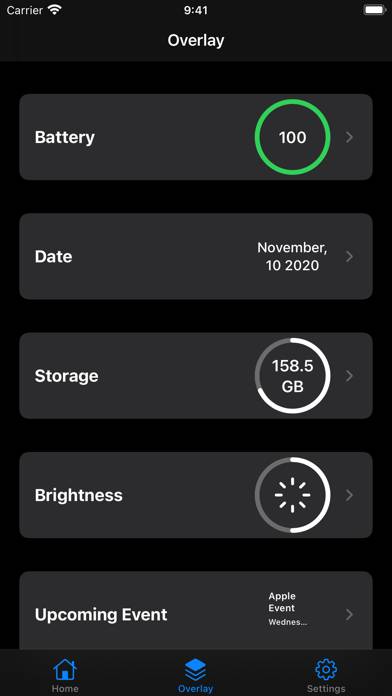
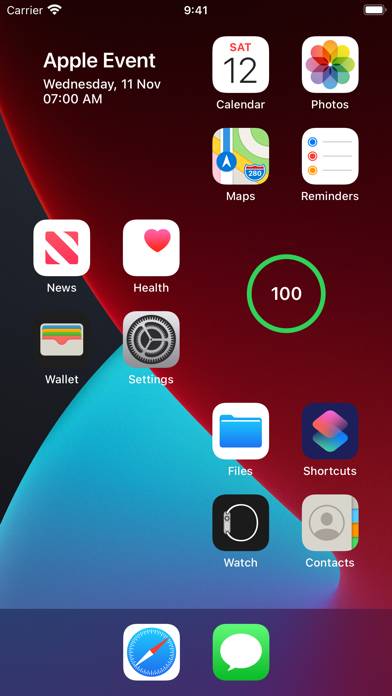
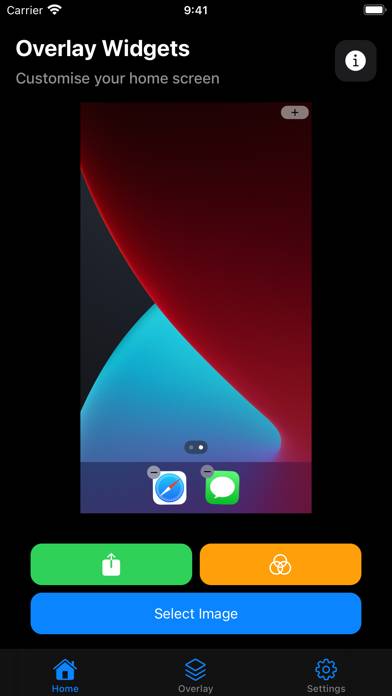
- (Dash) Transparent lets you add custom overlays with background images on your Home Screen. You can select from a number of overlays such as date, storage, battery, brightness and your next calendar event.
Show more

Available In-App Purchases

Large Tip

$2.99

Medium Tip

$1.99

Small Tip

$0.99

Download - (Dash) Transparent

Scan to Get the App! QR code for - (Dash) Transparent

Using - (Dash) Transparent on PC or Mac

- (Dash) Transparent can be played on Windows and macOS using Android emulators such as BlueStacks. Download an APK version and follow our BlueStacks installation guide to get started. For help with downloading or installing APK files, visit our forums.
User Reviews and Ratings

★★☆☆☆ Overlay
Upcoming event overlay does not show calendar items. Gave permission to access calendar but no events show up.
★★★★★ works well for me!
if you’re looking for widgets that mimic transparency on your screen, i totally recommend this. there’s no label underneath the widget so it looks like there’s practically nothing there. i don’t use the overlays, so i don’t have much to say on them, other than the fact that the brightness icon looks a bit blurry on the large widget. (p.s: if the widget looks brighter/darker than your wallpaper, just go to jiggle mode, screenshot your background on a blank page & use that screenshot for the wid
★★★★☆ Great app besides one issue.
I love the app and how it lets me customize my Home Screen but I have been having issues with the battery widget. For the first few days it was showing the correct battery percentage but here recently it does not track the battery correctly it is always incorrect it’s a small detail but an issue that would make a difference for me. I hope there will be a fix soon in order to track the battery percentage correctly and then it will be a 5 star from me.
★★★★★ Dark mod
Please add dark mod widget
★★☆☆☆ Does not work with switching to dark mode
Switching between dark mode and light mode changes the background color so the widgets are all off
Read all reviews

Similar Utilities Apps

Just Press Record screenshot
Just Press Record
Top #9 in Utilities Apps
Stopwatch+ for Track & Field screenshot
Stopwatch+ for Track & Field
Find Device - bluetooth finder screenshot
Find Device - bluetooth finder
Top #95 in Utilities Apps
NETGEAR Nighthawk - WiFi App screenshot
NETGEAR Nighthawk - WiFi App
Top #86 in Utilities Apps
Security Camera: Spy Detector screenshot
Security Camera: Spy Detector
Top #63 in Utilities Apps
mReader for watch screenshot
mReader for watch