Doodle3D Transform is an education app developed by DoodleD. Available for $5.99, it was updated to v1.70 on February 10, 2021, and currently holds a 2.44 out of 5 rating based on 9 reviews. Before downloading, make sure your device has at least 12 MB of free space and runs Android 11+ or iOS 12.0+.
3D design made easy
Video: Doodle3D Transform Overview
Description
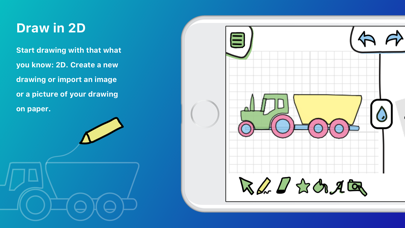
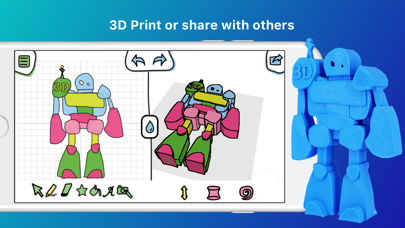
Transform is a simple drawing tool that makes design for 3D modelling and printing accessible to everyone.
Doodle3D Transform may be playable on Windows and macOS using Android emulators such as BlueStacks. Follow our BlueStacks installation guide to get started. Looking for Doodle3D Transform APK? Visit our forums for help finding authorized downloads, installing APK files, and troubleshooting installation issues.
User Reviews and Ratings
★★☆☆☆Please fix this
I had been working with this app for a project for over 3 DAYS!!!!! And I was super happy with how it turned out BUT I saw this green paper looking icon in the top left corner and thought it was the save button NOPE, IT WAS THE TRASH BUTTON. All my work was deleted 😭😢. I then figured out that the save button looked LIKE A PRINTER. Please make this make sense.
★★★★★Now can export stl files!
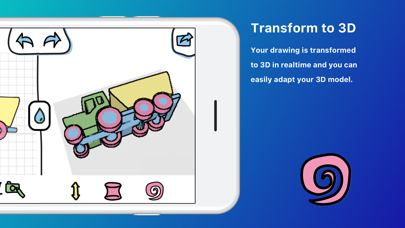
This program has been reworked into an amazing app. Five bucks is a small price to pay for this. It will INSTANTLY convert either something you draw OR a picture imported from your camera or photos into 3D. The most amazing feature of the latter procedure is that you point to a part of the imported picture and only that part is converted. Quite amazing.
★★★★★Best 5 dollars ever spent
I don’t understand why this app is rated so low. It does what I needed and more. I wanted to get an idea of what my 2d line drawing would look like when transformed into 3D for original jewelry pieces. I’m not disappointed with this app. It works well for me and what I use it for. The one thing I don’t like. I realize this app was designed with children in mind or created for children, but the interface is way too childish. I wish it could be changed with preferences to something just a bit more
★★★★★please Its so amazing- HOW can I save me print file?