Frame Timer
Published by Rybel LLC on Sep 10, 2015
Genre: Utilities
Ratings: 3.43
Version: 3.0.1
Updated: Jul 06, 2022
Downloads: 995
Frame Timer is a utility app developed by Rybel LLC. Available as a free download, it was updated to v3.00 on July 06, 2022, and currently holds a 3.43 out of 5 rating based on 7 reviews. Before downloading, make sure your device has at least 50 MB of free space and runs Android 12+ or iOS 13.0+.
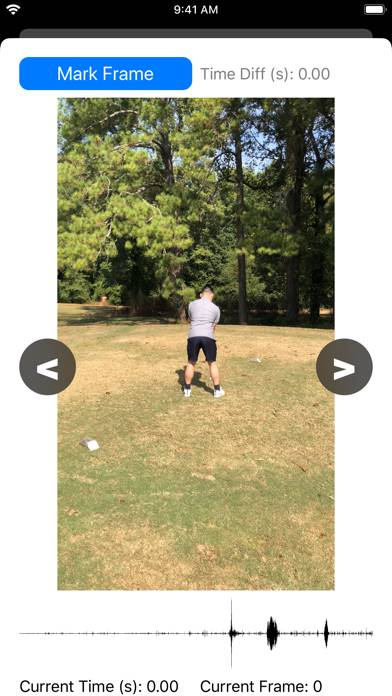
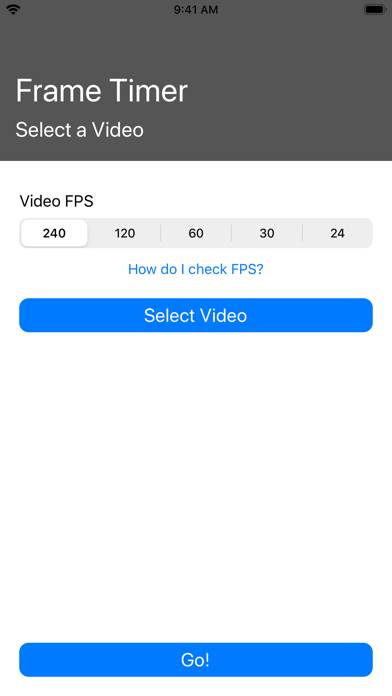
Frame-By-Frame Video Analysis
Video: Frame Timer Overview
Description
Slow motion video analysis in a fast paced world! Use this app to time actions that occur in minute moments of time.
Show more
Available In-App Purchases
Remove Ads
$1.99
Download Frame Timer
Scan to Get the App!

Using Frame Timer on PC or Mac
Frame Timer can be played on Windows and macOS using Android emulators such as BlueStacks. Download an APK version and follow our BlueStacks installation guide to get started. For help with downloading or installing APK files, visit our forums.
User Reviews and Ratings
★★☆☆☆ Not terrible for the price
It seems to be kind of buggy? There’s a loading spinner in the middle that never resolves, when I’m trying to go through frames one by one it’ll sometimes start *playing* and there’s no way to make it stop expect to close out and reopen, thus losing your place. It’s also a pain that you can’t jump to a particular frame or move a slider or something to go through frames faster than one-by-one.
That said, it still *basically* does what I want—let me view frames in a video one at a time, flip fo
★★★★★ Exactly what I was looking for
Read all reviews
In my work I need to measure some things that happen far too quick for me to see. So I take slow motion video and try to eye ball it. At my last job I had a high speed camera for these measurements, that I don’t have anymore since changing jobs. With this app I’ve been able to get incredibly close to the measurements I’m after.
Hope you continue to keep this app up to date, it works great.
Features I still wish it had was a scrubber for video position so I can drag to the right point of the vid