Friendly for Twitter

Published by Friendly, Inc. on May 04, 2019

Friendly for Twitter icon

Genre: Utilities

Ratings: 4.51

Version: 1.0

Updated: May 04, 2019

Downloads: 704

Friendly for Twitter is a utility app developed by Friendly. Available as a free download, it was updated to v1.00 on May 04, 2019, and currently holds a 4.51 out of 5 rating based on 1.9K reviews. Before downloading, make sure your device has at least 23 MB of free space and runs Android 10+ or iOS 11.0+.

Take control of your feed

Video: Friendly for Twitter Overview

Description

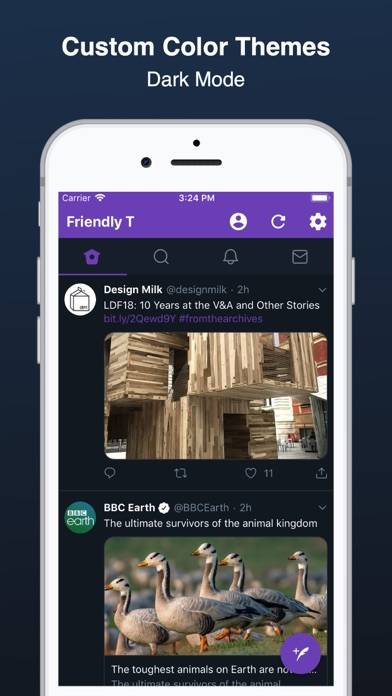
Friendly for Twitter is a fast and lite Twitter client for iOS and the Mac. Why Choose Friendly: - Save Battery, Storage and Data
Show more

Available In-App Purchases

Amazing tip

$4.99

Generous tip

$1.99

Nice tip

$0.99

Download Friendly for Twitter

Scan to Get the App! QR code for Friendly for Twitter

Using Friendly for Twitter on PC or Mac

Friendly for Twitter can be played on Windows and macOS using Android emulators such as BlueStacks. Download an APK version and follow our BlueStacks installation guide to get started. For help with downloading or installing APK files, visit our forums.

User Reviews and Ratings

★★☆☆☆ OK app, but lacks customer support
I see another review from a year ago asking about login persistence. No apparent comment from the developer. I recently tried the app and had the same question. My effort to contact the developers went unanswered as well.
★★☆☆☆ Glitches
New glitch where every photo gives me a warning of sensitive content even though my sensitive filter is turned off to automatically see sensitive content. Work on normal X app, not this one :(
★★★☆☆ Good, but needs to be improved.
Restarts when closing and re-opening app. Also has issues with when retweeting: bring back you immediately to the top of your home page, so you can't retweet, unless you click the button on tweet's page, not on home's page. I'm on iPhone 6 Plus, using iOS 12.
★★☆☆☆ New Glitch
I used to love this app, but there’s a new glitch where every video you scroll past automatically opens and plays, making it impossible to scroll through twitter without interruptions.
★★☆☆☆ Please fix after last update
Recent update caused videos to automatically play and go full screen. Please fix!!!
Read all reviews

Similar Utilities Apps

Auto Click - Automatic Clicker screenshot
Auto Click - Automatic Clicker
Top #97 in Utilities Apps
Camera Detector: hacker detect screenshot
Camera Detector: hacker detect
Top #39 in Utilities Apps
Video Cacher screenshot
Video Cacher
Microsoft Edge screenshot
Microsoft Edge
Top #11 in Utilities Apps
Wash screenshot
Wash
What Color? screenshot
What Color?