FS Map Tool
Published by Riccardo Lardi on Oct 19, 2020
Genre: Utilities
Ratings: 4.08
Version: 1.3.1
Updated: Aug 29, 2021
Downloads: 442
FS Map Tool is a utility games app developed by Riccardo Lardi. Available for $2.99, it was updated to v1.30 on August 29, 2021, and currently holds a 4.08 out of 5 rating based on 24 reviews. Before downloading, make sure your device has at least 63 MB of free space and runs Android 10+ or iOS 11.0+.
Map app for MS FS 2020
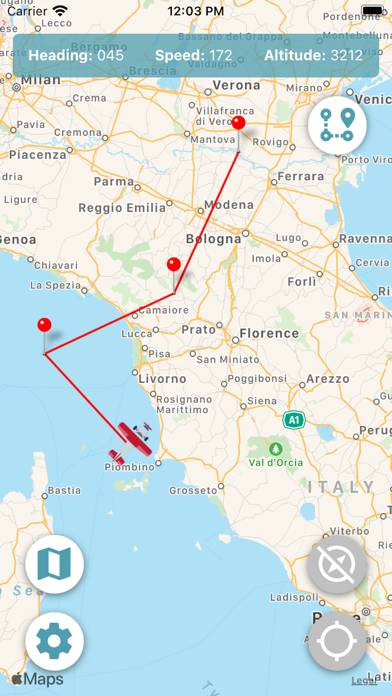
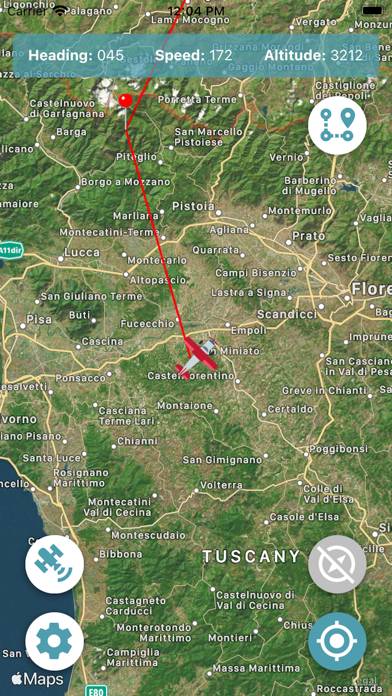
Video: FS Map Tool Overview
Description
Find your way around using in Microsoft Flight Simulator 2020 (MSFS 2020) using FS Map Tool, the intuitive and easy to use companion app that makes your flight experience a real flight simmer's delight.
Show more
Download FS Map Tool
Scan to Get the App!

Using FS Map Tool on PC or Mac
FS Map Tool can be played on Windows and macOS using Android emulators such as BlueStacks. Download an APK version and follow our BlueStacks installation guide to get started. For help with downloading or installing APK files, visit our forums.
User Reviews and Ratings
★★★★★ Works like iPhone map app.
Tracks your plane over satellite terrain so you can see canyons and highways to follow. Adjusts direction in real time.
★★★★★ Very nice app!
Very nice and easy to use app works great ! Waypoints showing would be great in the future! For now very nice and functional!
★★★★★ Great Flight Sim tool
This is a great app to let you know where your aircraft is in the world. Not being able to fully zoom out of the VFR map, this app helps a lot to get the position of my aircraft.
★★★★★ A must have for FS2020
This app for 3$ is fantastic Finally can see the name of every little town, lakes and highways I fly over. Riccardo was very helpful via email when I had a question
★★★★★ Great simple app, quick install
Read all reviews
Great simple app. Easy to use, didn’t even have to reboot fs2020, installed mid flight!
Would be nice if:
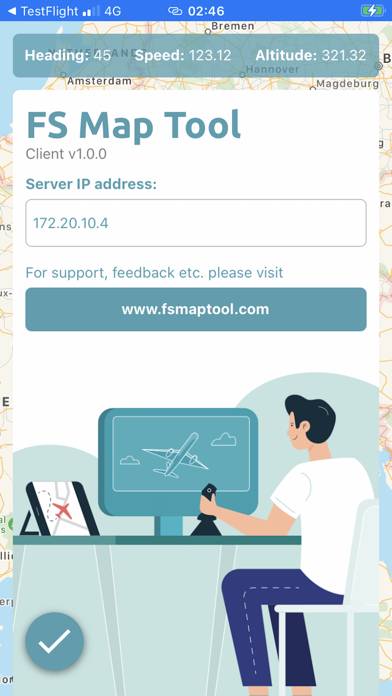
When you enter the IP address, the check button to enter it is hidden by the keyboard, would be great if you could just hit enter or if it automatically took it.
The IP address . Periods/dots don’t automatically get put in as they do in almost all networking entry forms, would be nice but no big deal.
Also would be sweet if you could change the plane icon to an airliner.