GenZD is an entertainment app developed by Infinite Evolution Technologies. Available for $1.99, it was updated to v2,024.90 on September 22, 2024, and currently holds a 4.77 out of 5 rating based on 26 reviews. Before downloading, make sure your device has at least 51 MB of free space and runs Android 14+ or iOS 15.0+.
Video: GenZD Overview
Description
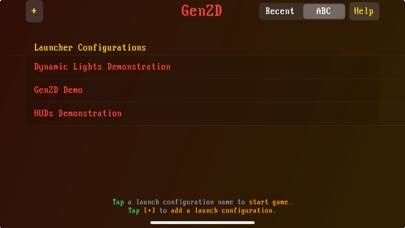
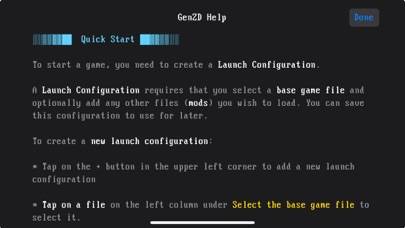
GenZD supports running games using the open-source idTech 1 game engine for iOS, and supports running its "WAD" game files as well as community-developed "MOD" files, all rendered natively using modern technology.
GenZD can be played on Windows and macOS using Android emulators such as BlueStacks. Download an APK version and follow our BlueStacks installation guide to get started. For help with downloading or installing APK files, visit our forums.
User Reviews and Ratings
★★☆☆☆Touch controls need work
The touch controls are missing some basic functionality present in most mobile FPS games. The movement joystick doesn’t snap to the location of your finger, nor does it register any input outside of one of four cardinal directions, meaning diagonal movement is impossible. The size is fixed also. The “press and swipe” motion that I’m used to for moving in other games is impossible. It’s more like four tiny buttons which are difficult to reliably press. If this could be fixed, this would be a grea
★★★★★Better than official ports
Easy to set up and runs great, fully customizable controls make it better than the official ports.
★★★★☆Awesome port, but…
I love this port. It’s fantastic and easy to use. The only reason I don’t give it 5 stars is because the touch screen controls, namely the directional pad, needs some serious work. I can’t just slide my thumb in the direction I need to go. You have to press the direction you want to go. If this was fixed, I could easily give it 5 stars. Other than that issue, it’s a GREAT port.
★★★★★Very good!!!!!
Very good app. Works well and easy to use after getting the hang of it. Just one question, where does the autoexec.cfg file go?
★★★★★Amazing.
Great port. It’s like Delta touch for iOS. Now I can play Doom on my iPad. Maybe more features/things can be added in the future? Thanks for making this possible. :)