Handwriting Keyboard is a utility app developed by Catalystwo Limited. Available for $3.99, it was updated to v2.50 on November 14, 2022, and currently holds a 3.95 out of 5 rating based on 91 reviews. Before downloading, make sure your device has at least 65 MB of free space and runs Android 12.6+ or iOS 13.6+.
Turn your handwriting to text
Video: Handwriting Keyboard Overview
Description
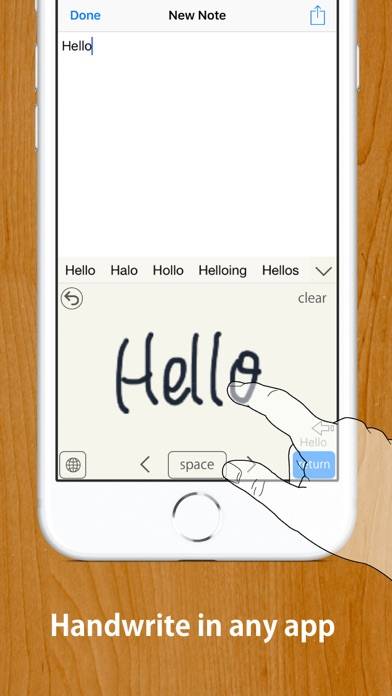
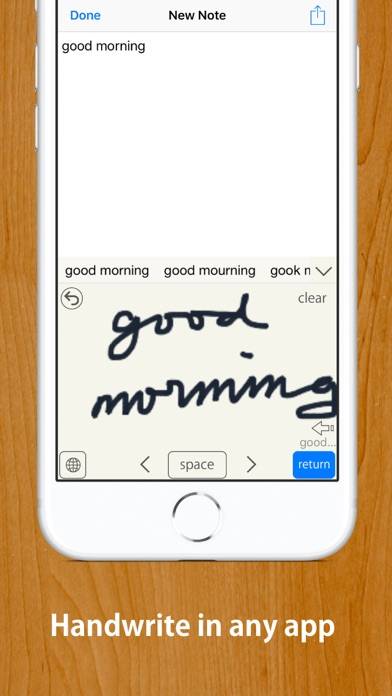
Quick and easy to turn your handwriting into inputted text in any app. Works with any app, such as Safari, Mail, Notes, etc. MyScript® engine converts your handwriting to typed text in any app.
Handwriting Keyboard can be played on Windows and macOS using Android emulators such as BlueStacks. Download an APK version and follow our BlueStacks installation guide to get started. For help with downloading or installing APK files, visit our forums.
User Reviews and Ratings
★★☆☆☆disappointing
The handwriting recognition is better than scribble. But the app itself is really really clunky. Buttons are overly big and in awkward positions. The pen line is comically big, and if you make it smaller it looks low resolution. In fact all the icons are low res, making the keyboard look terrible.
Some product and UX design would go a long way here.
★★★☆☆Auto Capitization
I really like this Keyboard. Except For the fact that it capitalizes random words. Some lowercase and uppercase letters look the Same. I need this keyboard to be Faster than using the regular Keyboard for it to have been worth the money. It predicts words based on my crappy handwriting fine. So, I Feel like it should be able to not auto-cap with ease. I'm using this Keyboard right now to write this Comment. To use this as an example of how it capitilizes random word.
★★★★☆Good Alternative for native iPad Scribble
This is a pretty nice replacement for Scribble on iPad. The UI can be a little buggy with some controls randomly overlapping even with the inline option turned off. Overall, it makes the handwriting-to-text experience on iPad a lot more polished. You can preview the conversion before committing it to your document, and the 2-line alternate writing option mimics the natural flow of regular writing. I have also noticed some random capitalization, and the writing strokes are pretty pixelated—like w
★★★☆☆Almost good, but falls short
First and most importantly, the input panel does not open in all apps (specifically the settings app). Although handwriting recognition works well, and gestures are intuitive, input can be glitchy. Or more specifically the lack of input. Opening the keyboard may retain previously cleared input, tapping in a text region may input the last input which gets annoying when you're trying to move the cursor to the end of the line and it keeps inserting words in the middle of other ones, With the last u
★★★★☆Nice to use for English and Japanese
I use this keyboard a lot for both English and Japanese handwriting, and overall it works very well. There are a few minor frustrations, though. I wish it would learn some of the nuances of how I write-I find myself correcting the same mistakes sometimes. Also, in Japanese, I have a hard time entering the "little" Hiragana characters. These are minor irritations, though, and overall I would recommend this app for iPad users who don't like to type on a glass keyboard and would prefer to use handw