HiQnet Motion Control is a utility app developed by Harman Professional. Available for $9.99, it was updated to v1.10 on October 17, 2017, and currently holds a 2.77 out of 5 rating based on 13 reviews. Before downloading, make sure your device has at least 4 MB of free space and runs Android 7+ or iOS 8.0+.
Description
**HiQnet System Architect 3.2 is required for the creation and transfer of HiQnet Motion Control iOS panels.
HiQnet Motion Control may be playable on Windows and macOS using Android emulators such as BlueStacks. Follow our BlueStacks installation guide to get started. Looking for HiQnet Motion Control APK? Visit our forums for help finding authorized downloads, installing APK files, and troubleshooting installation issues.
User Reviews and Ratings
★★★★★Opens up a whole new world of options!
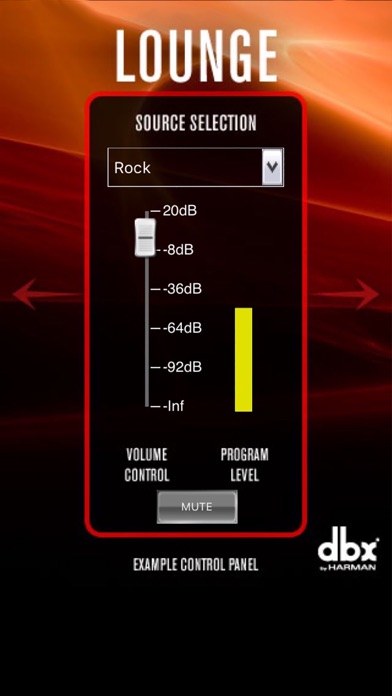
I use this app to control the BSS BLU-100 that is in my home theater. Once configured through Audio Architect, I use it to control not only the audio, but the lighting and IR remote control of the entire system. Its proven to be stable on both the iPhone and iPad.
★★☆☆☆Need to fix bugs
Meters and faders don't work. Can't get it to work on iPad. Indicator lights don't work. Only able to get buttons to work currently. Hopefully they come out with a new release soon that addresses these issues.
★★★★★HiQNet Motion Control works great
This review is written on 2/5/2021. I’m using iOS 14.4, and the app works exactly as it did 5 years ago. There was a point where I couldn’t get the phone to show up in Discovered devices. I logged on with tech support, and he couldn’t get it to pop up, either. Moments later, it just suddenly showed up in NetSetter, and has worked perfectly for several days.
I’m certified with nearly all manufacturers of DSPs, and this app is by far the most powerful. Combined with truly beautiful wall remotes,
★★☆☆☆Almost impossible to set up
It works… eventually. I want to throw all my equipment off the roof every time I have to update a control panel though, as it seems to only update when it wants to.
★★★☆☆The app does work!
But it’s a pain to get there. The secret seems to be selecting “Lock App Settings” from the panel selection page in Audio Architect. That finally made the example panels go away and my panels appear.
Controls worked but did look different. For example the output meters were all red rather than graduated.