Hour Blocks: Day Planner is a productivity app developed by WrestleWorks. Available as a free download, it was updated to v6.20 on April 20, 2021, and currently holds a 4.45 out of 5 rating based on 177 reviews. Before downloading, make sure your device has at least 6 MB of free space and runs Android 13+ or iOS 14.0+.
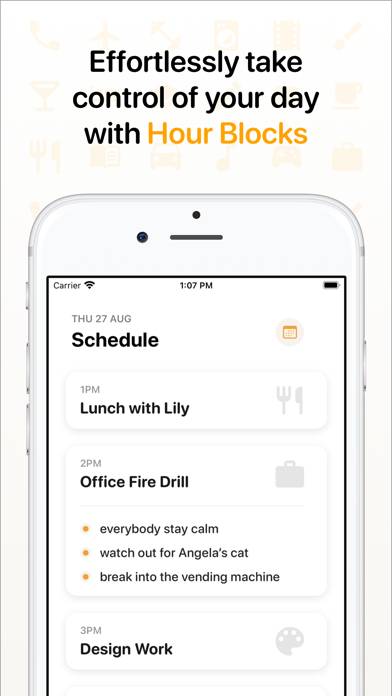
Effortlessly take control
Video: Hour Blocks: Day Planner Overview
Description
Apple's App of The Day in 150+ countries & TechRadar’s best iPhone apps of 2020! “Take control of your own schedule” - Apple
“Hour Blocks solves key problems in digital calendaring” - TechRadar
"You're going to love this" - iMore
Hour Blocks: Day Planner can be played on Windows and macOS using Android emulators such as BlueStacks. Download an APK version and follow our BlueStacks installation guide to get started. For help with downloading or installing APK files, visit our forums.
User Reviews and Ratings
★★★★★Must have for schedulers
Do you have to check your calendar to block time for an appointment? This app makes it easy to do so. If you run a business and need to book appointments with clients this is a super easier and it integrates with Apple or Google’s calendar.
Only improvement I would recommend to the developer is when you go to look at a date (choosing calendar icon) you use the word “save” instead of “go” or “look.”
★★★☆☆Like it. Could be better
I love how simple the app is. It’s easy to use and easy to find stuff on it. But I wish there were setting options that allow you to change the time in time ta to 15 or 30 minutes instead of just one hour.
★★☆☆☆So where are the blocks?
all this is is a list of to-dos disguised as hours. GUI reflects this. difficult to navigate, edit. “blocks”, which are just a segmented list are impossible to edit. and you can’t move them around. Honestly I don’t know what this is, but it’s not for me.
★★★★☆Ak
Hi. Just downloaded the app- looks like just what I need. My day however starts before 6am- is there any way of changing the start time? It really should allow for all the 24 hours in the day.
★★★★★Perfect for me
Best scheduling app I’ve found. I love the simplicity for planning out your day each morning, only thing I think would improve it is a feature to cross off each hour you complete. Great app.