IMoonCamera Pro2 is a photo & video app developed by 康行 Nagasima. Available for $3.99, it was updated to v2.10 on July 20, 2024, and currently holds a 3.75 out of 5 rating based on 4 reviews. Before downloading, make sure your device has at least 2 MB of free space and runs Android 16.2+ or iOS 17.2+.
Camera app for the moon
Description
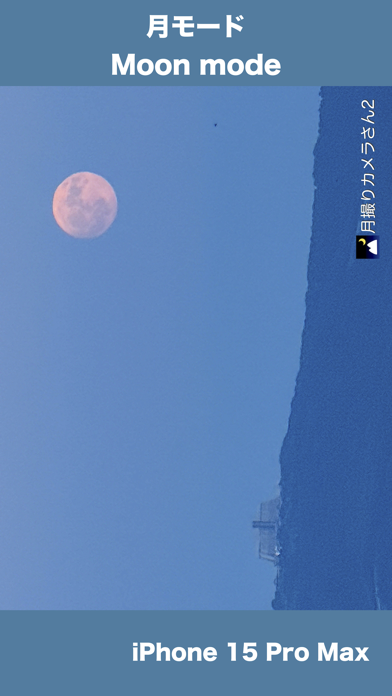
iMoonCameraPro is a camera app to shoot the moon easily. # How to use the moon mode
1. Select brightness.
IMoonCamera Pro2 may be playable on Windows and macOS using Android emulators such as BlueStacks. Follow our BlueStacks installation guide to get started. Looking for IMoonCamera Pro2 APK? Visit our forums for help finding authorized downloads, installing APK files, and troubleshooting installation issues.
User Reviews and Ratings
★★★★☆Great App
I purchased this app to take photos of the strawberry moon. I was surprised by how well it worked. Though the pictures came out a little grainy, that is to be expected from a phone camera. I wish it could zoom in a little more, but other than that it was definitely worth the money if you take photos of the moon a lot.
★★★★★Amazing
Did not think it would work, but it did an amazing job at capturing the moon. Would definitely recommend if you don’t have your dlsr on you, and still wish to capture the moment. Allows you to easily edit ISO, shutter, white balance etc. Did not even know that was possible on the iPhone. Slightly grainy, but 10x better what the default iPhone camera app would take!
★★★★★Best moon picture I ever took
I’ve always loved to admire the beauty of the moon. My pictures never did.., I’ve tried different ways on my iPhone and different apps. This is the first time I could tell I took a picture of the moon rather than a blob of light. Tonight is the waxing moon with the orange tint to it. Thanks for the picture!
★★★★★Better than iPhone’s camera by itself
This is better than using the iPhone’s camera by itself. This isn’t just point and click. There’s brightness, focus, white balance, ISO and shutter speed. For beginners go with Easy Mode and don’t change any settings. Take your picture and see how it comes out. Then adjust your settings to get a better picture. Most likely the Focus setting. Also remember, the higher the magnification, you need a steady hand!
Improvement needed - higher resolution with higher magnification. I was using a 512 GB
★★★★★Works well
Used for blood moon eclipse and it helped adjust light exposure for iPhone camera. Best for taking pictures of high light objects.