Inch Converter is a utility app developed by Paul Robbins. Available as a free download, it was updated to v3.10 on June 07, 2021, and currently holds a 3.54 out of 5 rating based on 13 reviews. Before downloading, make sure your device has at least 299 kB of free space and runs Android 13+ or iOS 14.0+.
decimal to imperial fraction
Video: Inch Converter Overview
Description
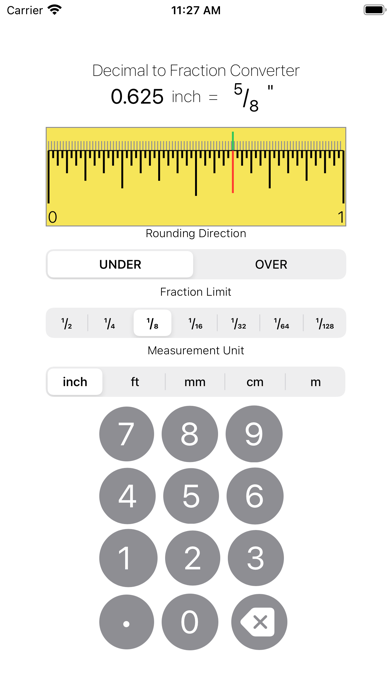
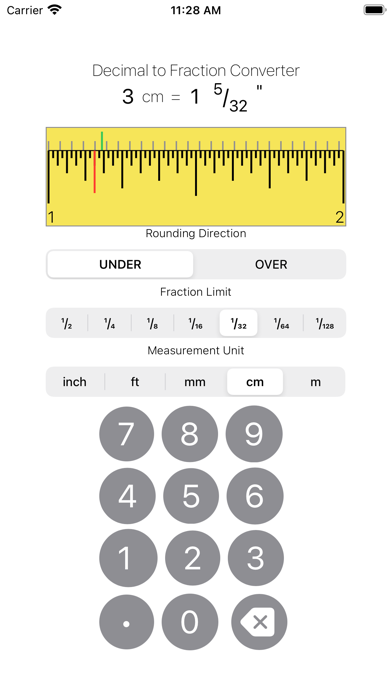
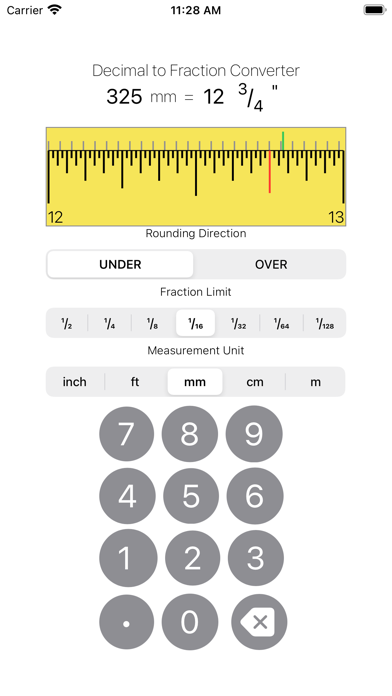
Convert decimal length measurements for 1/1000 inch, feet, mm, cm and meters to imperial mixed fractions of an inch. Choose under or over rounding.
Inch Converter may be playable on Windows and macOS using Android emulators such as BlueStacks. Follow our BlueStacks installation guide to get started. Looking for Inch Converter APK? Visit our forums for help finding authorized downloads, installing APK files, and troubleshooting installation issues.
User Reviews and Ratings
★★★★★Very Useful
This will come in handy for my construction job.
★★★★★That last review was dead wrong. THIS APP IS FANTASTIC!!
This is the ONE and ONLY app I have ever found that does the impossible!! It converts a decimal inch, which cannot be marked off of a tape measure, into a fraction, which can be marked off of a tape measure!! I need 6.68 inches. How do I get the .68? Thank you, thank you, thank you, thank you!!!!!! 9.68 feet is 116.16 inches. 116 is easy to measure and with this app, the .16 is obtainable. Yay!!!!
★★★☆☆Wish it did more
The conversion part is great, but I wish it had more calculator functions. It is a bit tedious to go from a calculator and then plug the results in here to give a nice useful imperial fractional measurement. The rounding to an approximate fraction is very useful for rough work. For example, I have .7 inches, with the app it is quite quick to get 3/4 (round up to the nearest 1/4) or 5/8 (round down to nearest 1/8th) etc. I can usually do it in my head, but it is nice to have an easy way to doubl
★★★★★Works great!
Does the trick
★★★★★Does exactly what I was looking for
Converts decimals to closest fraction (on tape measure). And you can start with inches or metric. Super simple app but does what it says.