Markdown Tables
Published by Apps On The Move Limited on Sep 18, 2019
Genre: Productivity
Ratings: 4.72
Version: 1.4
Updated: Aug 11, 2020
Downloads: 518
Markdown Tables is a productivity app developed by Apps On The Move Limited. Available for $1.99, it was updated to v1.40 on August 11, 2020, and currently holds a 4.72 out of 5 rating based on 25 reviews. Before downloading, make sure your device has at least 2 MB of free space and runs Android 11.2+ or iOS 12.2+.
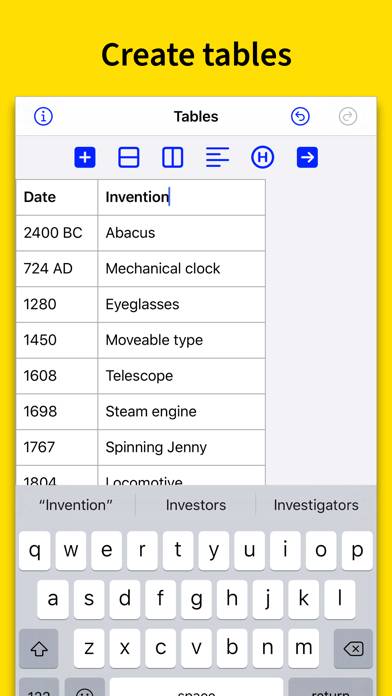
Create and edit tables
Video: Markdown Tables Overview
Description
Stop getting frustrated when you need a table. Create tables for use in your favorite Markdown writing app with Markdown Tables. Writing tables in Markdown is hard.
Show more
Download Markdown Tables
Scan to Get the App!

Using Markdown Tables on PC or Mac
Markdown Tables can be played on Windows and macOS using Android emulators such as BlueStacks. Download an APK version and follow our BlueStacks installation guide to get started. For help with downloading or installing APK files, visit our forums.
User Reviews and Ratings
★★★☆☆ Good for small tables only
This app is good for small tables. What it does, it seems to do well. However, it is NOT good for larger tables as the text doesn't wrap in the cell and carriage returns are not allowed in a cell. Also, you can apparently only have one table at a time & no saved tables. Please fix these issues. Thanks.
★★★★★ Helpful app
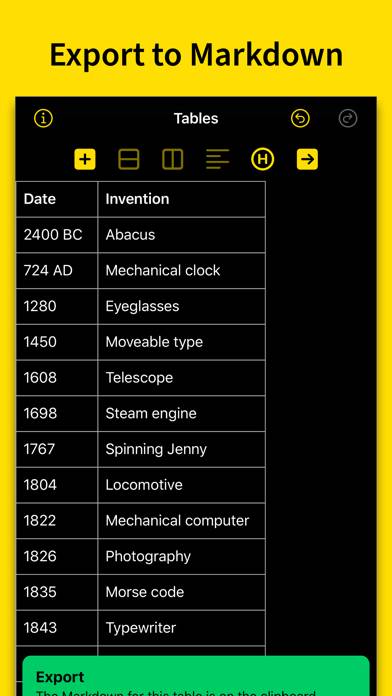
This is a helpful little app for creating tables for Markdown apps. You can create tables or paste them in from, say, a spreadsheet. Export to the clipboard to put them in your Markdown editor.
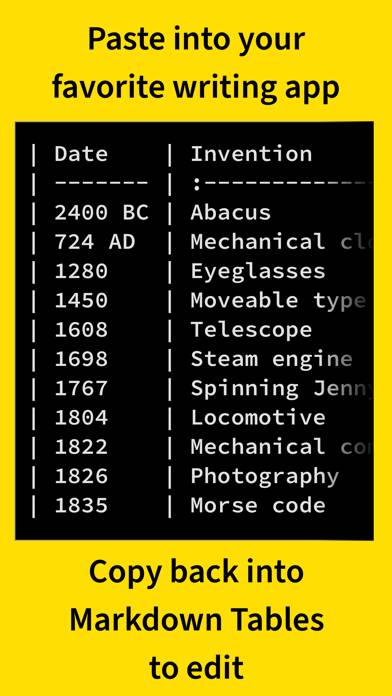
The app does a nice job of adding white space to make the table line up nicely in the Markdown. Of course, this doesn’t change the final output of the document at all, but it does make the “raw” Markdown look better and easier to work with.
★★★★★ Very responsive developer!
This is a very helpful utility for markdown writers. There is definitely room for refinement, but development is progressing quickly and the developer is incredibly responsive
★★★★☆ Import from Clipboard could be better
The app expects Markdown from the clipboard, but that limits the functionality to editing your own Markdown as the source. It’s quite common to copy from spreadsheets or other table sources. It would be great if non-Markdown sources could be pasted in.
★★★★★ LOVE THE APP
Read all reviews
SLEEK AND WELL MADE
Similar Productivity Apps
impcat

Focus Noodles
VPN Master Lite - Proxy Server
Visuary - Capture
iLovePDF - PDF Editor & Scan

BlockCookies