MathKey - LaTeX Converter

Published by Nicolas Dalbard on Jun 20, 2018
MathKey - LaTeX Converter icon

Genre: Utilities

Ratings: 3.87

Version: 1.3.8

Updated: Oct 15, 2022

Downloads: 488

MathKey - LaTeX Converter is a utility app developed by Nicolas Dalbard. The last update, v1.30, released on October 15, 2022, and it’s rated 3.87 out of 5 based on the latest 313 reviews. MathKey - LaTeX Converter costs $6.99 and requires iOS 14.0+ and Android 13 or newer to download.

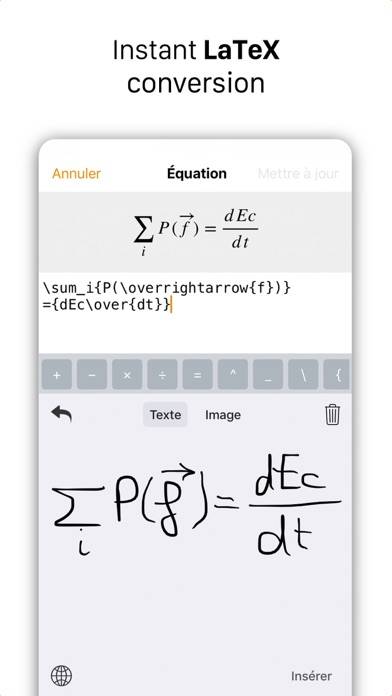
Handwriting to LaTeX & MathML

Description

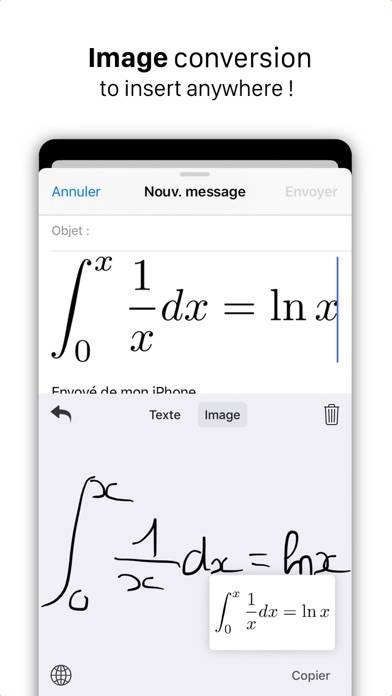
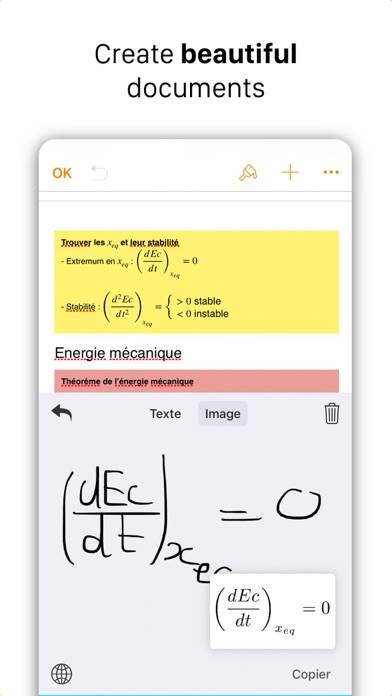
● Write the math expression with your finger or Apple Pencil. ● MathKey will convert your handwriting to : - LaTeX/MathML expression for Pages, Numbers, Word and any LaTeX/MathML compatible app.
Show more

Download MathKey

Scan to Get the App!
QR code for MathKey

How to Use MathKey on Your PC or Mac

Want to enjoy MathKey - LaTeX Converter on your desktop? Download the latest APK (1.30, 18 MB) or choose your preferred version, and follow our Bluestacks emulator guide for easy installation on Windows or macOS. For any assistance with downloading or installing APK files, feel free to visit our forums!

User Reviews and Ratings

★★★★☆ Enlarge preview size
Works well on GoodNotes, though for longer expressions, the preview gets really small, which makes it tough to see if what got rendered matches what I intended to write. Unless I’m missing some way to enlarge the preview, some way or setting to adjust the preview size would be nice.
★★★★★ Phone to laptop
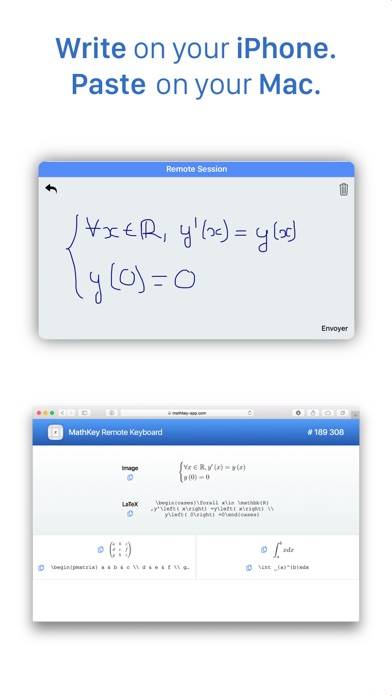
Works great for generating Latex from my phone that I can paste into a document on my laptop.
★★★★★ Highly Reccomend
Super helpful tool if you’re like me and would rather write out math instead of typing tedious latex commands. Accuracy is usually spot on if you write with decent handwriting. The website is super helpful too, I like writing on my iPad and having it instantly send to my computer where I can either copy the latex code or just copy the output as an image.
★★★★★ suggestion
It is good! However, can developer add a shortcut or button for me to quick type $$ or mk since obsidian need this to start write the latex expression.
★★★★☆ No multi step
When I write multi step equations it only shows top line
Read all reviews

Related Apps

Notificator - CM screenshot
Notificator - CM
Number Row Keyboard screenshot
Number Row Keyboard
Planner for AC: NL Pro screenshot
Planner for AC: NL Pro
Compass & GPS screenshot
Compass & GPS
Top #88 in Utilities Apps
e2Remote Pro screenshot
e2Remote Pro
Honor:Calculation screenshot
Honor:Calculation
MathKey App Alternatives