MAVIS - Pro Camera

Published by Mavis Broadcast Ltd on Apr 16, 2015

MAVIS - Pro Camera icon

Genre: Photo & Video

Ratings: 4.38

Version: 6.2.0

Updated: Mar 12, 2024

Downloads: 4,106

MAVIS - Pro Camera is a photo & video app developed by Mavis Broadcast. The last update, v6.20, released on March 12, 2024, and it’s rated 4.38 out of 5 based on the latest 633 reviews. MAVIS - Pro Camera costs $5.99 and requires iOS 16.0+ and Android 15 or newer to download.

Filmmaking and broadcast

Video: MAVIS Overview

Description

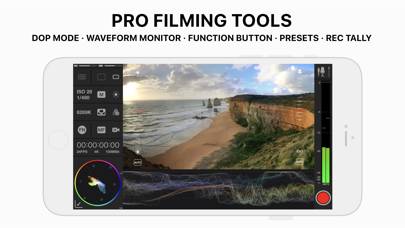
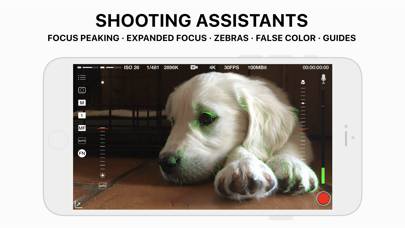
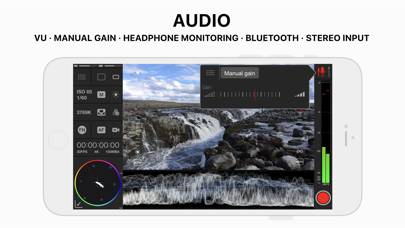
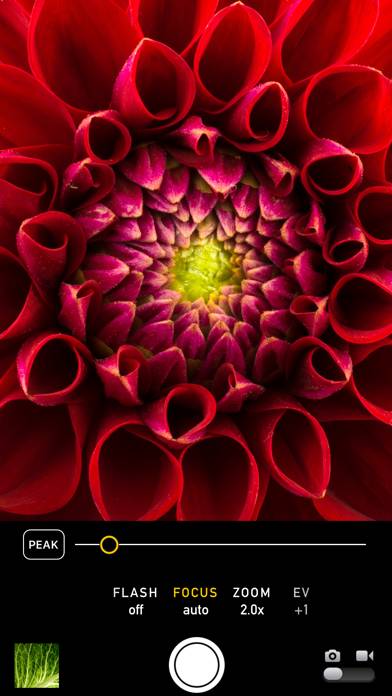
MAVIS is the ultimate pro filmmaking and broadcast camera for the iPhone. It provides professional level filming tools including focus peaking, waveform monitor, vectorscope, false color and zebras.
Show more

Available In-App Purchases

Big Bundle

$17.99

Formats

$5.99

Gimbals

$2.99

Pro Tools

$5.99

Timecode

$2.99

Timecode UltraSync BLUE

$0.00

Download MAVIS

Scan to Get the App!
QR code for MAVIS

How to Use MAVIS on Your PC or Mac

Want to enjoy MAVIS - Pro Camera on your desktop? Download the latest APK (6.20, 26 MB) or choose your preferred version, and follow our Bluestacks emulator guide for easy installation on Windows or macOS. For any assistance with downloading or installing APK files, feel free to visit our forums!

User Reviews and Ratings

★★☆☆☆ ISO and Shutter Issue
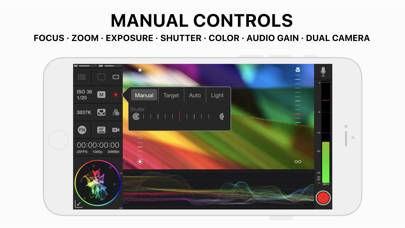
When I’m trying to use a manual selection of ISO and shutter, it automatically adjusts to whatever it chooses. There’s no target or auto setting turned on. Started doing this since last update
★★☆☆☆ Typically a great app, but a problem has gone unaddressed
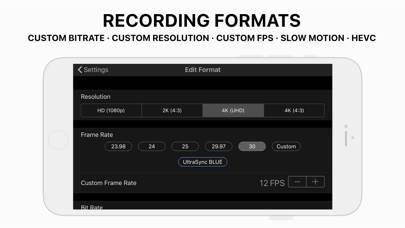
Mavis is actually one of my favorite cinema camera apps, but since the last update 5 months ago, the bit-rate selection in the settings is broken. For example, if I were to select 100mbit with 4k UHD H.264, rather than the bit-rate actually recording at 100 mbps, it records at 56 mbps, and sometimes a smaller number. The same occurs with the other settings such as HD, where it will not even record 50 mbps. I know Mavis has recently made a partnership with Atmos recently, and hope with their
★★☆☆☆ Needs work
The good: Tons of features. Focus peaking. Zebra stripes. False colors. Lots of controls for bitrate. Timecodes. Presets. Function buttons. Audio Levels. The bad: Doesn’t get updated often. No Dolby Vision (dealbreaker). Not a great UI. No gesture controls. No racking between focus or exposure. No quick way to switch between auto, spot and center for focus and exposure. No way to combine/split spots for focus and exposure. No Z
★★★★★ 🚨🚨🚨🚨🚨🚨🚨🚨🚨🚨🚨🚨🚨🚨
Please return to us The Smooth 4 Gimbal support
★★★★★ Awesome app
Awesome app with a host of controls. Need sometime to get going but loving it so far
Read all reviews

Related Apps

Photer - редактор фото screenshot
Photer - редактор фото
Super Zoom Telephto Camera screenshot
Super Zoom Telephto Camera
Videoleap: AI Video Editor screenshot
Videoleap: AI Video Editor
Apollo: Отличное освещение screenshot
Apollo: Отличное освещение
Dkon screenshot
Dkon
MAVIS App Alternatives