Morse Code Ringtone
Published by Ronald Nicholson on Apr 13, 2012
Genre: Utilities
Ratings: 2.85
Version: 1.6.2
Updated: Jan 06, 2023
Downloads: 446
Morse Code Ringtone is a utility app developed by HotPaw Productions. Available for $2.99, it was updated to v1.60 on January 06, 2023, and currently holds a 2.85 out of 5 rating based on 20 reviews. Before downloading, make sure your device has at least 1 MB of free space and runs Android 11.2+ or iOS 12.2+.
Video: Morse Code Ringtone Overview
Description
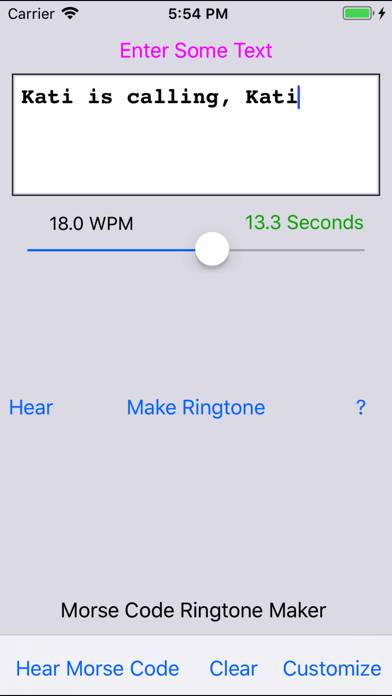
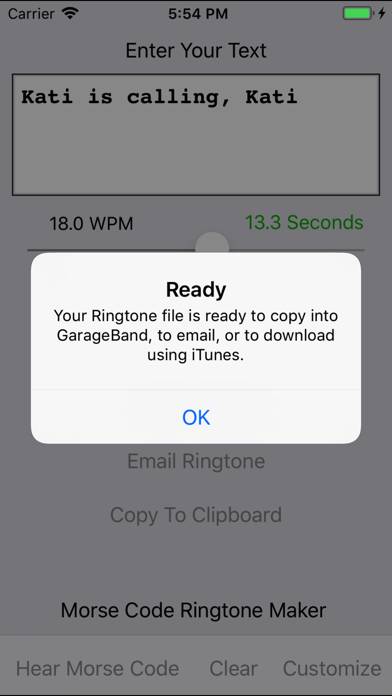
Create ringtones with your own customized Morse Code messages. Don't bore people with yet another pop tune blaring from your phone. Be different...
Show more
Download Morse Code Ringtone
Scan to Get the App!

Using Morse Code Ringtone on PC or Mac
Morse Code Ringtone can be played on Windows and macOS using Android emulators such as BlueStacks. Download an APK version and follow our BlueStacks installation guide to get started. For help with downloading or installing APK files, visit our forums.
User Reviews and Ratings
★★★★★ It Works as promised
Exactly what I wanted!
★★★★★ Works great!
I had no problems creating a ringtone on my iPhone 7 Plus running iOS 11.3. Garage Band is required, but once you figure it out, it works great.
★★★★★ Yes, this works as advertised.
This is my first app review. I was leery of spending the money on this give the negative reviews, but I took the plunge. The app works exactly as advertised, and the directions are quite clear and concise. I used the GarageBand method rather than iTunes, and found it easy and fast. If you can follow directions, and you’re capable of basic iPhone operations, this is a piece of cake. Really cool app if you’re a CW junkie like I am!
★★★★★ Worked just fine
The technique for getting the ringtones into the phone is a little roundabout. But, I suspect that has more to do with iOS than with the app itself. I found that the inter word spacing worked out better if I added a space at the end of the text for the ringtone.
★★★★★ Using an iMac & iTunes…
Read all reviews
Step1) email your CW ring tone 2)control click on the “play bar icon” in the email & choose “save to Downloads Folder” 3) connect iPhone/open iTunes & open device 4) drag .m4r file from Downloads over the section (in iTunes) below your iPhone that says “On My Device” & drop it in “Tones” 5)Open settings on your iPhone & go to “Sounds & Haptics” and choose your CW ring tone!!!! 73 de KY9I