Mouse Toggle for Fire TV
Published by Jean Alger on Sep 18, 2015
Genre: Utilities
Ratings: 2.28
Version: 1.11
Updated: Jul 09, 2018
Downloads: 468
Mouse Toggle for Fire TV is a utility app developed by Jean Alger. Available for $2.99, it was updated to v1.11 on July 09, 2018, and currently holds a 2.28 out of 5 rating based on 67 reviews. Before downloading, make sure your device has at least 5 MB of free space and runs Android 6+ or iOS 7.0+.
Video: Mouse Toggle for Fire TV Overview
Description
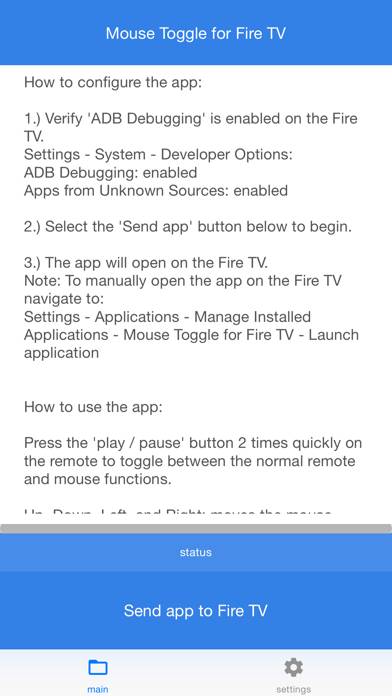
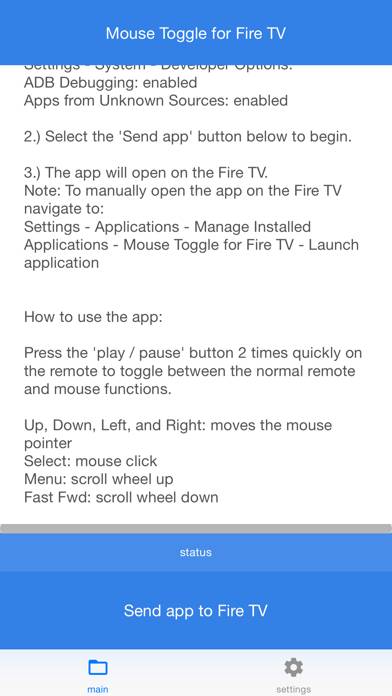
Add a mouse mode to the stock Amazon Fire TV or Fire TV Stick remote control. Features:
Use your remote control as a mouse. Works just like a regular mouse that can click, long click, wheel up, wheel down, and drag.
Show more
Download Mouse Toggle for Fire TV
Scan to Get the App!

Using Mouse Toggle for Fire TV on PC or Mac
Mouse Toggle for Fire TV can be played on Windows and macOS using Android emulators such as BlueStacks. Download an APK version and follow our BlueStacks installation guide to get started. For help with downloading or installing APK files, visit our forums.
User Reviews and Ratings
★★★★★ Thank you
I have never been so happy to spend 3 bucks! It worked perfectly. Thanks again!! Is this available for the nexus player? Hope so! I would be happy to pay again;-) These people need to hire you so they can include this natively...
★★★★★ Nice
Like all your other apps this nice having on the fire tv , works fine just wish it had an option to make the sensitivity higher
★★★★★ 5 star App , 5 star support
Couldn't have asked for better support, much appreciated !
★★★★★ Awesome!!!!
Makes it so easy to navigate certain apps that you can't with the remote. No need to hook up a wireless mouse. Just use your remote as a mouse. So easy. And well worth the price.
★★★★★ Doesn’t work with the latest Amazon FireTV
Read all reviews
When I contacted the Dev team, I was told “The app will be updated soon to v1.10 to resolve this issue.” It has been over three weeks since I last heard from someone on the Dev team. I’m keeping my fingers crossed.