MultiTrack DAW
Published by Hamilton Feltman on Sep 18, 2009
Genre: Music
Ratings: 4.49
Version: 6.3.6
Updated: Sep 04, 2022
Downloads: 882
MultiTrack DAW is a music app developed by Harmonicdog. Available for $4.99, it was updated to v6.30 on September 04, 2022, and currently holds a 4.49 out of 5 rating based on 201 reviews. Before downloading, make sure your device has at least 17 MB of free space and runs Android 10+ or iOS 11.0+.
Perfectly Simple Multitracking
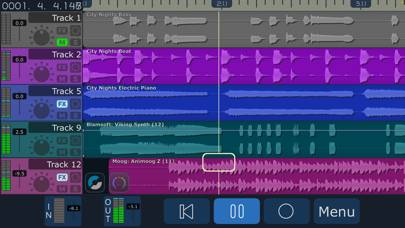
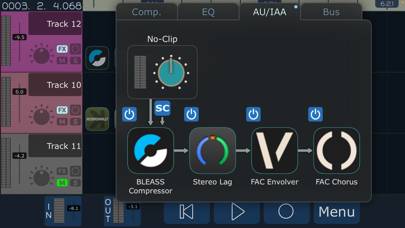
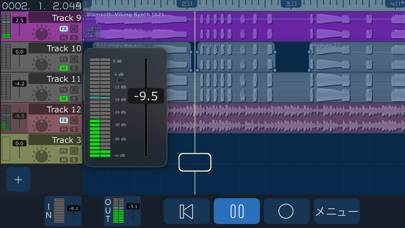
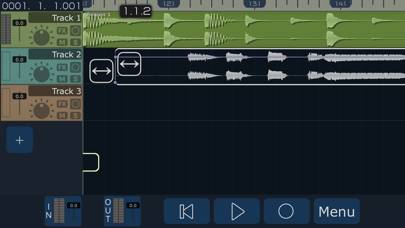
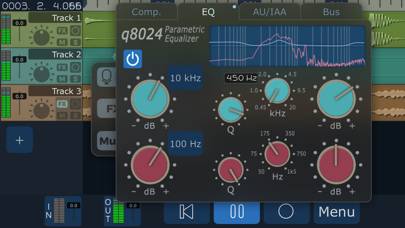
Video: MultiTrack DAW Overview
Description
The power of a digital audio workstation in the palm of your hand. Release your creativity with up to 32 high quality audio tracks. Record multiple takes, harmonies, solos, and experiments.
Show more
Available In-App Purchases
Add 16 Stereo Tracks
$9.99
Add 8 Stereo Tracks
$4.99
Add more tracks
$4.99
Download MultiTrack DAW
Scan to Get the App!

Using MultiTrack DAW on PC or Mac
MultiTrack DAW can be played on Windows and macOS using Android emulators such as BlueStacks. Download an APK version and follow our BlueStacks installation guide to get started. For help with downloading or installing APK files, visit our forums.
User Reviews and Ratings
★★★★★ Excellent
I love this simple DAW multitrack it works for me not many pages learning curves for a simple song I could record easily with this
Love it
★★★☆☆ Feedback while recording on iPad
Anyone know how to stop this? Otherwise the app is great
★★★★★ Hands down my favorite iOS DAW, even in 2024
I absolutely love this DAW. To me it reminds me a lot of Reaper. I find a lot of these “full featured daws” sort of controlling. GarageBand being the worst, it feels like it’s trying to make the song for me. In Harmonicdog multitrack daw I feel like I have full access to MY creativity. I’ve made some really fascinating demos on this
★★★★☆ Like a mini ProTools in your pocket. Best audio editing app out there.
I was probably one of the first downloaders years ago and it’s still my favorite DAW app.
Why the 4 stars then? Because you totally ignored my comment for two years.
In the edit mode you can't see the top buttons of the menu while working on the upper track. When the menu pops out the upper functions are "hidden" outside of the screen (Design problem)
Also, where did the move arrows go?
If ain’t broken don’t fix it please.
Anyway, keep up the good work. I can't wait for the next upgrade.
★★★★★ still the best
Read all reviews
after all these years it still works great and helps me record my demos quick and easy