One Man Band Live
Published by Jos Maas on Apr 22, 2018
Genre: Music
Ratings: 5.00
Version: 1.2
Updated: Jun 21, 2018
Downloads: 426
One Man Band Live is a music app developed by Jos Maas. The last update, v1.20, released on June 21, 2018, and it’s rated 5.00 out of 5 based on the latest 2.9K reviews. One Man Band Live costs $29.99 and requires iOS 9.1+ and Android 8.1 or newer to download.
Realtime accompaniment
Video: One Man Band Live Overview
Description
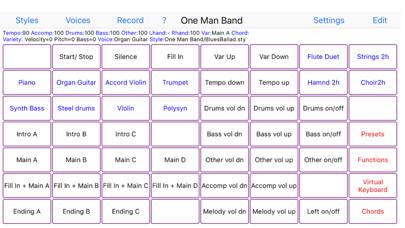
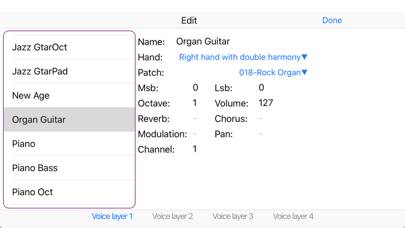
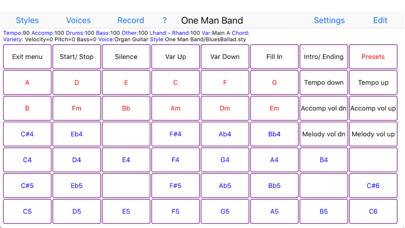
Change your digital piano or synthesizer into an arranger keyboard with realtime auto-accompaniment.
Show more
Download One Man Band Live
Scan to Get the App!

How to Use One Man Band Live on Your PC or Mac
Want to enjoy One Man Band Live on your desktop? Download the latest APK (1.20, 3 MB) or choose your preferred version, and follow our Bluestacks emulator guide for easy installation on Windows or macOS. For any assistance with downloading or installing APK files, feel free to visit our forums!
User Reviews and Ratings
★★★★☆ Great app but need some more features please !
-Background play
-Tempo Synch or Clock (for internal or External midi)
-Modern Theme(Like Real button )
-Midi mixer
Thank you .
★★★☆☆ Great app, but....
Great app, however has a few limitations
1. You can only connect one midi controller at a time, that means you cannot use a separate midi foot pedal besides your primary device
2. Greatly would use some sort of midi sync function. Ableton Live would be awesome
3. Modernize the UI a bit. There is a midi guitar about to hit the market, ironically named OMB, and this app is the closest competition they have. To the developer, seize the moment and offer a compelling alternative to OMB app. There is
★★★☆☆ Have an issue
I had a small question about the split point and left hand when using an external keyboard. In the help manual, it says that when creating a voice the left hand is muted by default. When I created a new voice, the right hand played throughout the whole keyboard, even though I set the split point in settings at B4. How can I unmute the left hand and have it play below the split point I set?
★★★☆☆ Style Copy Paste Problem
I bought this a few days ago and wanted to put some favorite styles in a new folder using the feature included within the app. You can make a new folder but you can’t copy or cut styles from a different folder and paste them into the new folder. This feature is described in the online help document but does not work. I’m using an iPad Air3 running iOS 14.6. I also tried this on my iPhone XR and same problem plus some other quirky actions and lockups.
This is by far the best Arranger Keyboard ap
★★★★★ Problem fixed
Read all reviews
Do know exactly what it was but I lost accompaniment for a while the start stop button seemed to malfunction but is now working again random bug I guess
Related Apps
FNF - Horror Mods
Top #77 in Music Apps
Rhythm+

The Orchestra
Top #92 in Music Apps
120 Ukulele Chords LR
Learn how to play Guitar PRO
Hop Ball 3D: EDM Music Tiles