OptoDrum is a medical app developed by Linsay Associates LLC. Available for $4.99, it was updated to v1.40 on February 02, 2019, and currently holds a 2.2 out of 5 rating based on 15 reviews. Before downloading, make sure your device has at least 2 MB of free space and runs Android 9+ or iOS 10.0+.
Video: OptoDrum Overview
Description
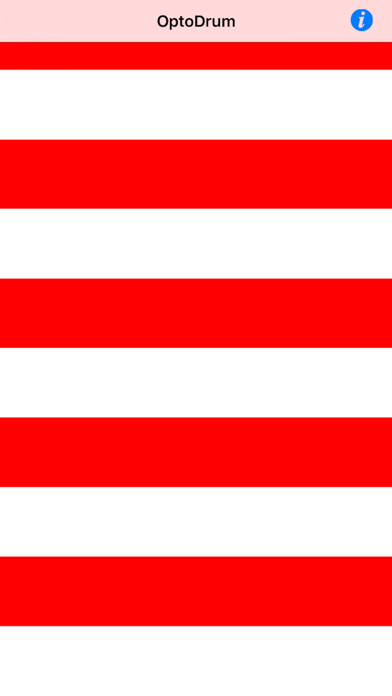
OptoDrum is an easy to use replacement for a bulky optokinetic drum or a fraying cloth tape to elicit optokinetic nystagmus for evaluation of neurological, otological, and opthalmological disorders.
OptoDrum may be playable on Windows and macOS using Android emulators such as BlueStacks. Follow our BlueStacks installation guide to get started. Looking for OptoDrum APK? Visit our forums for help finding authorized downloads, installing APK files, and troubleshooting installation issues.
User Reviews and Ratings
★★☆☆☆Not worth spending money on
Some Apps have thousands of hours of programming. This App is maybe 2 hours and cost $5!!! Should 1000% be free. Its rudimentary.
★★★★★Turbo Drum
I too had the same problem with Turbo Drum as Camelottt but had she(?) contacted their help desk she would probably have found that her iPad IOS was out of date. Upgrading it to 5.1 was easier said than done and needed a final step of erasing TD then reloading it in order to reset the app directory. Doing this also fixed all the other loaded apps which had stopped working along with the IOS upgrade. Turbo Drum now works as described by the author and is an invaluable aid to neurological disorder
★★★★★New version (1.3.2)
The freezing issue in fact has been fixed. I've tried it on both the iPad and iPhone and it consistently has worked very well.
★★☆☆☆Glitches
Cannot change icons or freeze movement once started in current version ! I regret updating !
★★★★☆Does the job
It's a little tricky but with enough pinching, tapping the top where the icon bar appears, and sliding down on the screen you can change settings. Direction is changed by catching the movement to a stop and dragging slowly in reverse. It works better with young pediatrics than traditional methods of kinetic assessment and therapy, so worth $5!