PDF Cropper
Published by 实 许 on Oct 16, 2013
Genre: Utilities
Ratings: 3.00
Version: 2.1.0
Updated: Jun 23, 2021
Downloads: 628
PDF Cropper is a utility app developed by 实 许. Available for $1.99, it was updated to v2.10 on June 23, 2021, and currently holds a 3 out of 5 rating based on 13 reviews. Before downloading, make sure your device has at least 26 MB of free space and runs Android 12.5+ or iOS 13.5+.
Best tool to crop pdf document
Video: PDF Cropper Overview
Description
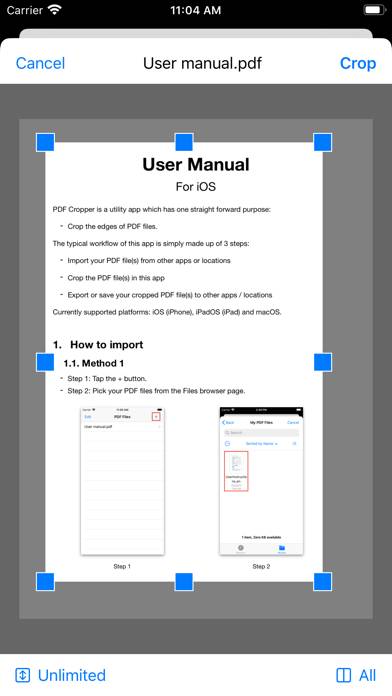
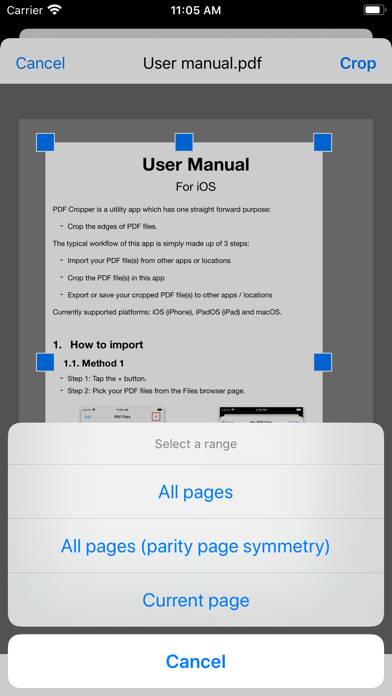
PDF Cropper is a utility app which has one straight forward purpose: Crop the edges of PDF files. The typical workflow of this app is simply made up of 3 steps:
- Import your PDF file(s) from other apps or locations.
Show more
Download PDF Cropper
Scan to Get the App!

Using PDF Cropper on PC or Mac
PDF Cropper can be played on Windows and macOS using Android emulators such as BlueStacks. Download an APK version and follow our BlueStacks installation guide to get started. For help with downloading or installing APK files, visit our forums.
User Reviews and Ratings
★★★★☆ Needs more options
In order to make it more practical please add several other options like crop odd pages only or even pages only
also crop certain pages with certain numbers
★★★★★ The app works
I saw negative reviews, so I thought I'd leave a comment. Yes those reviews are correct. It doesn't have option to crop individual pages. I set a custom crop size & all pages were cropped. That is exactly what I wanted. It doesn't have crop function for specific pages. But I don't need that utility. Thanks a ton for this app.
★★★★★ App does what I want it to do
My goal was to be able to crop single page PDF’s. This app does exactly the function I needed. So far, very happy.
★★★★★ Works as advertised
I needed an app to crop single PDF files. This is the only one I found in the App Store that worked (or that was sufficiently intuitive for me to use). It worked well for what I needed.
★★☆☆☆ A Waste of My $1.99
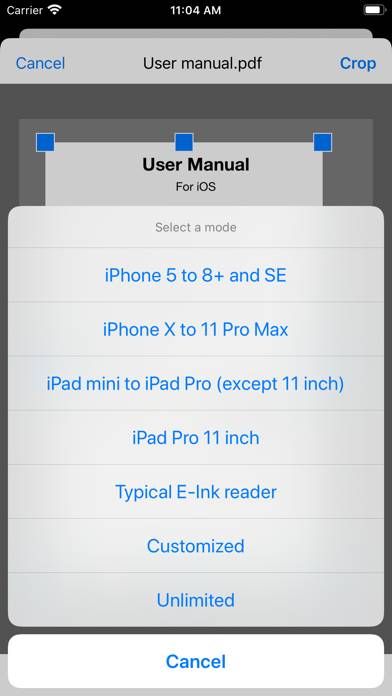
Read all reviews
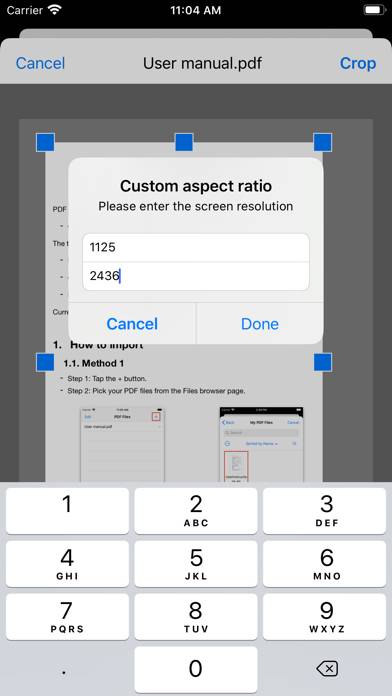
The app is very limited in its ability to crop. You are offered options to crop to the size of various device screens, or to specify a dimension, or to do any of a number of “unlimited” size cropping, but that does not work well if you do not know the dimensions of, let’s say, of a part of an article you want to preserve in crop. And if the article is very long, as in a web page that was saved as a PDF, you are unable to zoom in on the article to even see where you want it cropped. I am very dis