Remote Desktop - RDP
Published by Jan Frydendal on Feb 12, 2019
Genre: Business
Ratings: 3.15
Version: 6.2
Updated: Sep 19, 2024
Downloads: 664
Remote Desktop - RDP is a business app developed by MochaSoft. Available for $5.99, it was updated to v6.20 on September 19, 2024, and currently holds a 3.15 out of 5 rating based on 20 reviews. Before downloading, make sure your device has at least 2 MB of free space and runs Android 12+ or iOS 13.0+.
Access any app on your PC
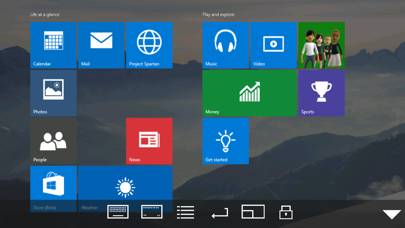
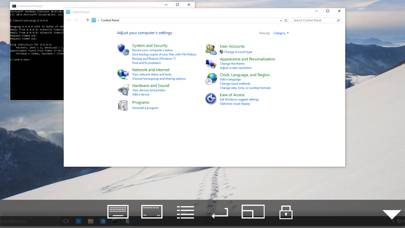
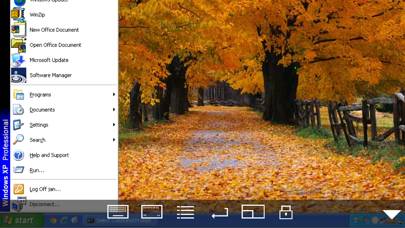
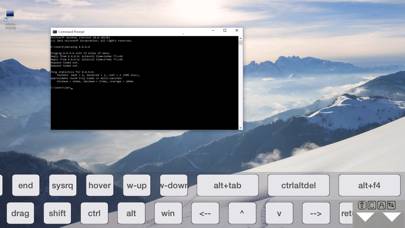
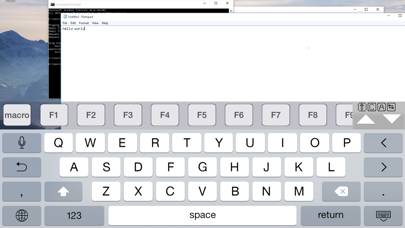
Video: Remote Desktop Overview
Description
Using your iPhone or iPad, you can connect to your Windows Workstation Computer and see the files, programs, and resources exactly as you would if you were sitting at your desk, just on a smaller screen.
Show more
Download Remote Desktop
Scan to Get the App!

Using Remote Desktop on PC or Mac
Remote Desktop - RDP can be played on Windows and macOS using Android emulators such as BlueStacks. Download an APK version and follow our BlueStacks installation guide to get started. For help with downloading or installing APK files, visit our forums.
User Reviews and Ratings
★★★★★ Absolutely Fantastic
I use this application at home and at work. I either use it to access my home server, or use it to manage New Jersey Transit's comms network or some other crazy system. It always keeps up with what I need and never falters. Very well thought out and exactly what I needed.
★★☆☆☆ Doesn’t work with xrdp hosts
I have a few xrdp hosts that this app is unable to work with due to the connection being dropped shortly after connecting. Fiddling with the NLA / TLS / other settings doesn’t fix this, these xrdp hosts work fine from Microsoft Remote Desktop on Windows and rdesktop on Linux.
It works fine connecting to Windows hosts though.
★★★☆☆ Close to working on Vision Pro
I have been working on getting this going on my Vision Pro to access my Windows PC. It works fairly well but pointing and click can be tough using vision and fingers. I have to aim very carefully. I can put the window right in front of my face and use the “touch screen” like capability but clicking is a little tricky. Today I tried using my Logitech Bluetooth keyboard that is attached to my Vision Pro. It works in all Vision Pro apps but nothing when in this program. I have tried to tweak confi
★★★★☆ Windows 11
Doesn’t work with Windows 11. Is there a fix/update coming soon?
★★★★★ Helpful Tip
Read all reviews
For users that are having trouble connecting, including if RDP “used” to connect and stopped after an update (for Windows or RDP). Generally, using your Microsoft account email and password will correct it. (instead of your windows hello pin). The one off time that doesn’t work, the fix is also simple. In windows user account settings go back to password and email login. (don’t worry you can reenable window hello again after). Sign out of windows sign back in, then launch RDP again. (you can t
Similar Business Apps
Cobee - Flexible benefits
GContact
Intune Company Portal
Devis et Factures Dux-facti
İŞKUR E-Şube