Spatial Video Converter
Published by Kenneth Kao on Dec 12, 2023
Genre: Utilities
Ratings: 4.23
Version: 1.7.3
Updated: Jul 22, 2024
Downloads: 1,871
Spatial Video Converter is a utility app developed by Kenneth Kao. Available for $3.99, it was updated to v1.70 on July 22, 2024, and currently holds a 4.23 out of 5 rating based on 13 reviews. Before downloading, make sure your device has at least 1 MB of free space and runs Android 16+ or iOS 17.0+.
Export for VR Headsets & 3D TV
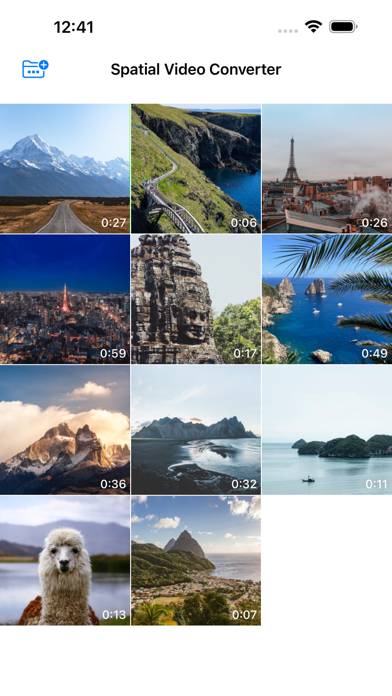
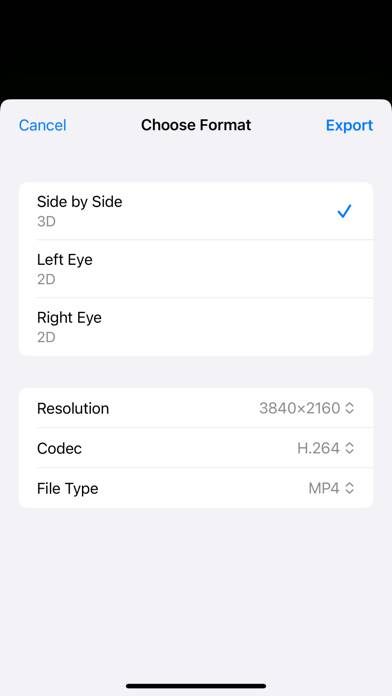

Video: Spatial Video Converter Overview
Description
Convert iPhone 15 Pro or Apple Vision Pro spatial videos into 3D Side-by-Side format, and play it on any VR headsets or 3D TVs.
Show more
Download Spatial Video Converter
Scan to Get the App!

Using Spatial Video Converter on PC or Mac
Spatial Video Converter can be played on Windows and macOS using Android emulators such as BlueStacks. Download an APK version and follow our BlueStacks installation guide to get started. For help with downloading or installing APK files, visit our forums.
User Reviews and Ratings
★★★★☆ Needs some imprivements
After launch, it asks for access to your camera roll, which is fine. But once you select the video you want to work with, it never gives you that option again. Instead, it switches to a different selection scheme, so in order to add videos to the app, you must use the iPhone Settings for that.
★★★★★ ⭐️⭐️⭐️⭐️⭐️
Quick export and the output looks great on the Quest
★★★★★ Just works
I returned my AVP and wanted to watch the videos I took with it on my Quest 3. Works flawlessly and super easy to use.
★★★★☆ Functional, if basic. Missing one key feature
This app is good for what it does and at a reasonable price. However, the exported files are in parallel format, with no option for cross-eye. If that were available this would be five stars.
★★★★☆ Good enough for the price
Read all reviews
The good: It’s very very fast. It works as advertised, easily converting my Spatial videos to SBS mov and mp4 files. It loads videos from Photos automatically, which is great.
The bad: The interface is clunky and frustrating. Videos list as thumbs only with no labels. Once I click on a video and covert, I have to click the X button about 15 times before the video closes. But the labeling is a real problem here, especially if you have a lot of videos.
Finally, I would LOVE a batch feature.