SyncCal
Published by Dominique Andr Gunia on Jan 18, 2014
Genre: Productivity
Ratings: 3.65
Version: 1.26
Updated: Feb 15, 2021
Downloads: 628
SyncCal is a productivity app developed by Dominique Andr Gunia. Available as a free download, it was updated to v1.26 on February 15, 2021, and currently holds a 3.65 out of 5 rating based on 20 reviews. Before downloading, make sure your device has at least 7 MB of free space and runs Android 7+ or iOS 8.0+.
Sync/copy calendars to Google
Description
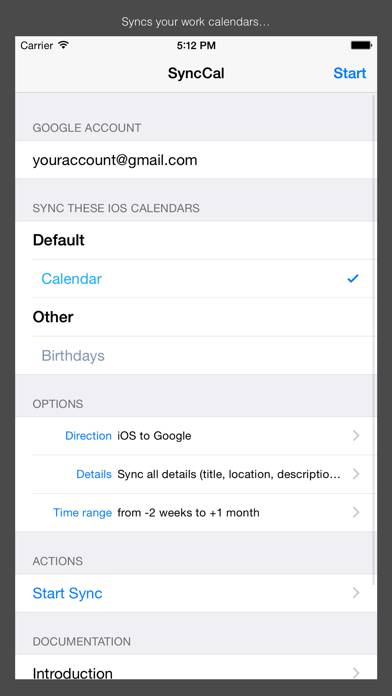
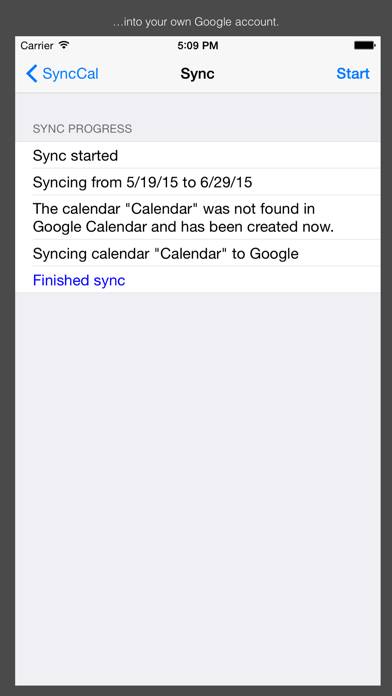
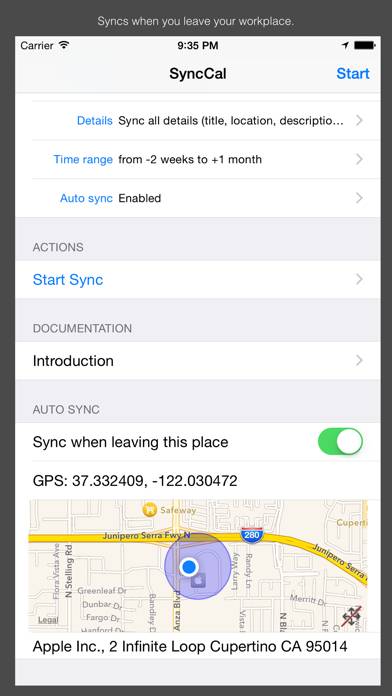
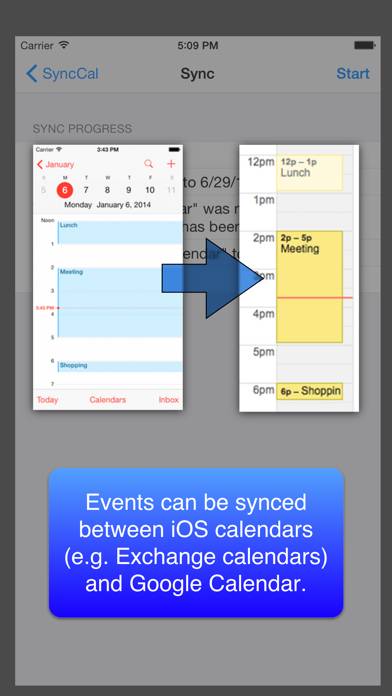
SyncCal allows you to share your iOS calendars (e.g. iCloud and Exchange calendars) via Google Calendar with other people. E.g.
Show more
Download SyncCal
Scan to Get the App!

Using SyncCal on PC or Mac
SyncCal can be played on Windows and macOS using Android emulators such as BlueStacks. Download an APK version and follow our BlueStacks installation guide to get started. For help with downloading or installing APK files, visit our forums.
User Reviews and Ratings
★★★★★ Very good app
Does exactly what it says it does. I am able to sync my iCloud and google calendars (either one way or both ways). Well worth the money if you need to use google calendar in addition to your iCloud calendar.
Only issue I have had is that recurring events are synced as individual events. That limits my ability to edit them from google calendar; they can only be modified in iCloud.
★★★★★ Cheap fix to get my calendars synced
I bought this app after Google stopped supporting their syncing software. This is a great, cheap fix! And the customer support is amazing. I just spent 2-3 days e-mailing back and forth to get my problem fixed. Very satisfied!
★★★★☆ Great App
This was the only software I could find for PC or iPhone that performed this task. Everything works great with syncing, however I just wish it would sync more often in the background. Maybe once every 15 minutes, or let us set a custom interval?
Overall great app though, keep up the good work. Worth the money without a doubt.
★★★★★ It works!
Finally, a solution to sync my corporate Exchange calendar to Google without running Outlook on my Mac. It works great, does exactly what it says in the description. One feature request though - It'd be nice to be able to choose the name of the Google sub-calendar in creates rather than using the source calendar name (Exchange always uses "Calendar", which isn't always helpful).
★★★★★ The Only App I Found
Read all reviews
I couldn't find any other way to do this. Anywhere. Period. Thank you so much developer(s)! Please keep up the wonderful work! Syncing iCloud Calendars to Google Calendar is possible!!!
Similar Productivity Apps
Stop Ads - The Ultimate Ad-Blocker for Safari
xCalendar Lite
Pst Mail
Find in Mind Pro
Notehot - notes&voice text
НЛП Алфавит - Игра Нового кода