TelloMe is a photo & video app developed by Rainer Bischof. Available for $5.99, it was updated to v1.30 on December 10, 2020, and currently holds a 3.46 out of 5 rating based on 13 reviews. Before downloading, make sure your device has at least 17 MB of free space and runs Android 12+ or iOS 13.0+.
FollowMe+Orbit for Ryze Tello
Video: TelloMe Overview
Description
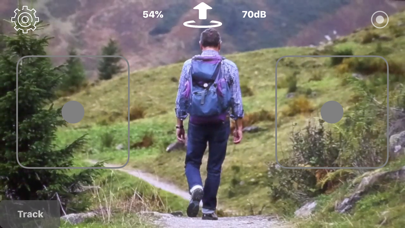
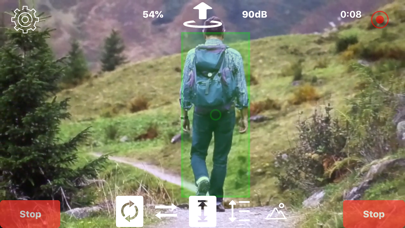
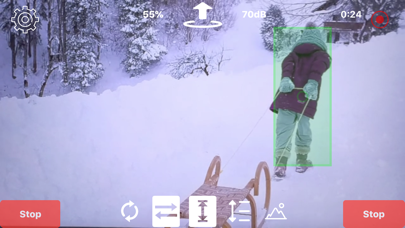
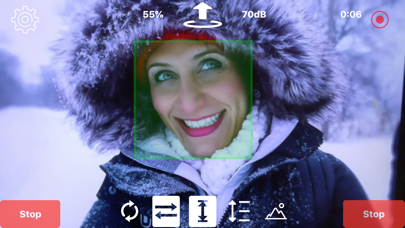
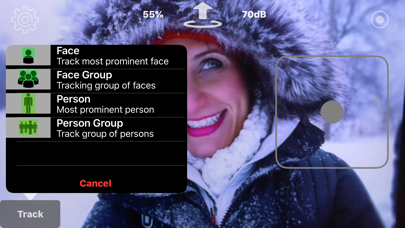
Analyzes the drone's live video feed and applies computer vision technology to track a face or a person. Allows Tello to follow a person, a face, or an arbitrary object, or to fly a circle around an object.
TelloMe may be playable on Windows and macOS using Android emulators such as BlueStacks. Follow our BlueStacks installation guide to get started. Looking for TelloMe APK? Visit our forums for help finding authorized downloads, installing APK files, and troubleshooting installation issues.
User Reviews and Ratings
★★★★★Best App for Tello DJI
The application boosts the capability of the drone specially with the RTH feature. (Great option for kids when they panic )
The device is not intended for professionals who want to adjust camera exposure and set up complicated options, so don't bother about reviews complaining about this.
The drone is just for beginners who are willing to experience the first step of aerial photography and it is more than enough for this purpose .
Special thanks for the developer !
★★★★★Tello
Best app ever
★★★☆☆Impressive app with a potential feature oversight
This app is an achievement, if you have a mobile phone that is powerful enough to engage its tracking technology. The problem is that, for an app that is intended for video, it gives no means of accessing exposure controls or bitrate settings for the video it captures, and the default settings hamper the final results with compression artifacting out the wazoo. If these features were added, this would be a 5 star, must-have app. Until then, it’s a tepid 3 star review from me.
★★★★★Great App !!
It does everything it says. I was impressed on how it tracked me. Just play around with the different setting to see what they do.