Ticked 2
Published by Mike Clay on Aug 09, 2018
Genre: Utilities
Ratings: 4.35
Version: 2.4
Updated: Jun 06, 2021
Downloads: 366
Ticked 2 is a utility app developed by Mike Clay. Available as a free download, it was updated to v2.40 on June 06, 2021, and currently holds a 4.35 out of 5 rating based on 23 reviews. Before downloading, make sure your device has at least 633 kB of free space and runs Android 13.1+ or iOS 14.1+.
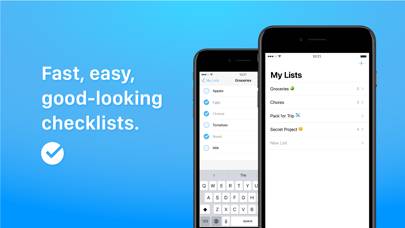
Simple, easy checklists
Video: Ticked 2 Overview
Description
I like checklists. Plain, simple checklists. And I couldn't find a nice, polished app that did as LITTLE as I wanted:
• Create and add to lists as quickly as I can type.
Show more
Download Ticked 2
Scan to Get the App!

Using Ticked 2 on PC or Mac
Ticked 2 can be played on Windows and macOS using Android emulators such as BlueStacks. Download an APK version and follow our BlueStacks installation guide to get started. For help with downloading or installing APK files, visit our forums.
User Reviews and Ratings
★★★★★ Literally perfect
I’ve been looking for a minimalistic to do app for so long. It’s finally here and amazing! Thank you!
★★★★★ Mike strikes again
Everything this guy develop is amazing, this app is minimal but super easy to use, even easier than the native notes app!
I wish to see a dark mode soon tho.
★★★★★ Clean, Simple, Reliable.
I've been a user of the original version of Ticked for over a year, and Ticked 2 is the perfect upgrade. Several of the elements have been polished, resulting in a beautiful clean application that allows you to easily make lists and tick off the completed items. The app syncs over iCloud, which is an excellent feature. I use this app all the time, and will continue to do so. Thanks for making a great app, Mike!
★★★★★ Good app
Definitely an app with a strong foundation here and I can definitely see myself using it on a regular basis. Something I would like to be able to do is to automatically generate a list for tasks I do every day but would need a new list for. Right now, I have to unchecked all the items if I want to reuse the list on another day. Maybe have a list as a saved list and when I start to make another list it can either be new list or one from a template I've set up. Thanks!
★★★★★ Minimal and functional
Read all reviews
Love a good to-do list app. I’ve been using Clear for years, and this app is very much in-line with that style of minimal interface but maximum function. Not much more you need in a to-do list app. One thing I immediately found wanting was for completed items to auto-move to the bottom of the list. I prefer to keep the “still to-do” items up top. Some different color themes would be great as well (or at the very least a Dark Mode). The white is crisp and clean, but bright.