Tunetag MP3 Tag Editor is a utility app developed by Justin Xin. The last update, v1.20, released on September 22, 2024, and it’s rated 5.00 out of 5 based on the latest 2 reviews. Tunetag MP3 Tag Editor is FREE and requires iOS 16.4+ and Android 15.4 or newer to download.
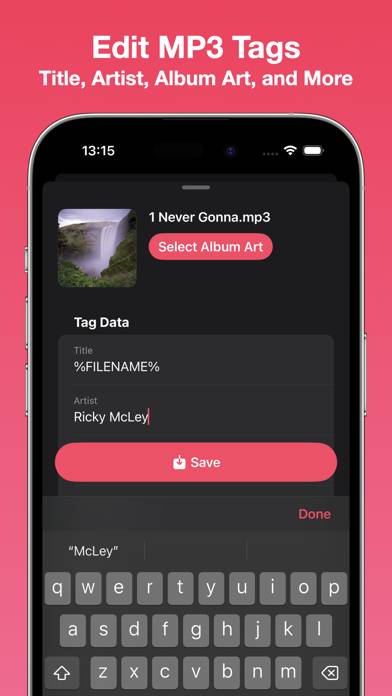
Easily edit MP3 files' tags
Description
Edit your MP3 files' tags easily with Tunetag. - File Management
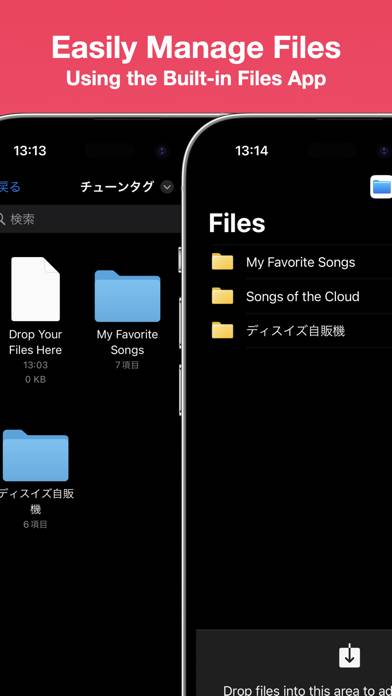
Tunetag supports file management directly from the built-in iOS/iPadOS Files app, so you never have to fumble with share sheets or AirDrop.
Move your downloaded MP3 files directly to the Tunetag folder in the 'On My iPhone/On My iPad' folder, and Tunetag will automatically pick them up.
How to Use Tunetag MP3 Tag Editor on Your PC or Mac
Want to enjoy Tunetag MP3 Tag Editor on your desktop? Download the latest APK (1.20, 17 MB) or choose your preferred version, and follow our Bluestacks emulator guide for easy installation on Windows or macOS. For any assistance with downloading or installing APK files, feel free to visit our forums!
User Reviews and Ratings
★★★★★Good job
This app just worked and is better than Evertag! Didn’t corrupt my files.
★★★★★Works perfectly!
Works perfectly!! Thank you for creating this app!! Better than any other tag editor! You just need to copy and paste songs in the Tunetag folder inside your files and then edit the tags directly on the app. The songs will be uploaded on Tunetag app for you to edit tags and add photos directly! Thank you!
★★★★★Just what I needed
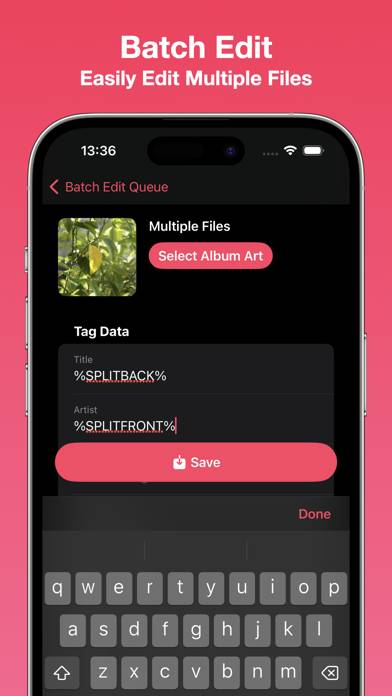
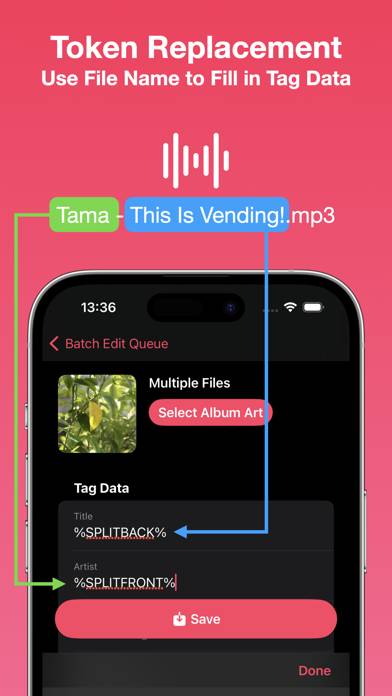
I needed an mp3 tag editor to batch edit the tracks for an album that did not have the metadata included. I searched for free/low cost solutions online, but it was either sub services or web apps which would force me to upload each song. Then I found this app on the App Store for a bargain price, so I bought it. It loaded instantly on my old iPad 8 and did exactly what I needed in a few seconds. Not feature-packed but does what’s needed well in a small, responsive app for a bargain price. Recomm