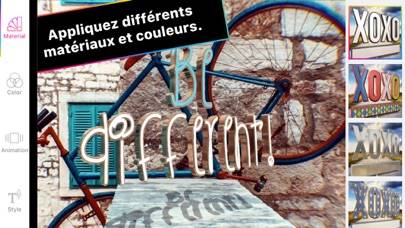
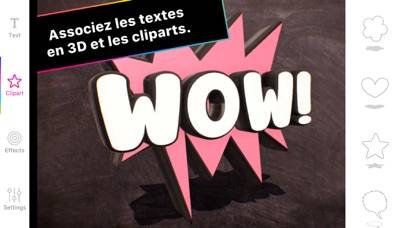
Typotastic - 3D text on photos

Published by cyoub UG on Oct 16, 2017

Typotastic - 3D text on photos icon

Genre: Photo & Video

Ratings: 4.80

Version: 1.07

Updated: Feb 26, 2019

Downloads: 762

Typotastic - 3D text on photos is a photo & video app developed by cyoub UG. Available for $4.99, it was updated to v1.07 on February 26, 2019, and currently holds a 4.8 out of 5 rating based on 950 reviews. Before downloading, make sure your device has at least 131 MB of free space and runs Android 9+ or iOS 10.0+.

Bring animated quotes to life
Video: Typotastic Overview

Description

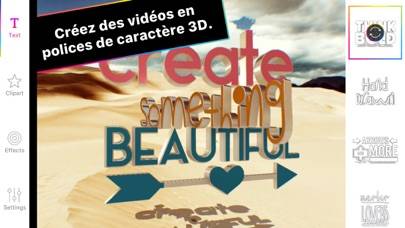
Typotastic magically turns your words into outstanding 3D videos. Create 4 second video loops or still images with 3D fonts and FX that normally take hours and 3D skills with just one tap.
Show more

Download Typotastic

Scan to Get the App! QR code for Typotastic

Using Typotastic on PC or Mac

Typotastic - 3D text on photos can be played on Windows and macOS using Android emulators such as BlueStacks. Download an APK version and follow our BlueStacks installation guide to get started. For help with downloading or installing APK files, visit our forums.

User Reviews and Ratings

★★★★★ Fortnite
I love this app amazing for putting text in Fortnite montages
★★★★☆ Review
I reallly like it a lot. Great buy! Although my videos keep getting flipped sideways.
★★★☆☆ Can’t upload a video background
The video loads sideways! 🤔
★★★★☆ It needs an update!
I love this app! However, when I export a photo, it kind of blurs the text with the image a bit? Can you look into that, please?🙏 I do that, and I will turn around and give it a perfect 5!
★★★★★ Awesome
I love it👍🏻
Read all reviews

Similar Photo & Video Apps

glazeAR - Magic Photos AR screenshot
glazeAR - Magic Photos AR
Snapfish: Photos Cards & Books screenshot
Snapfish: Photos Cards & Books
Night Cam! screenshot
Night Cam!
LookALike Celebrity Look Alike screenshot
LookALike Celebrity Look Alike
Top #45 in Photo & Video Apps
Pixelmator Photo screenshot
Pixelmator Photo
Editor de vídeo: añadir musica screenshot
Editor de vídeo: añadir musica