VizRef Lite
Published by Studio Pixanoh Inc on Mar 11, 2020
Genre: Graphics & Design
Ratings: 3.86
Version: 1.1.7
Updated: Jun 08, 2021
Downloads: 1,766
VizRef Lite is a graphics & design app developed by Studio Pixanoh. Available for $1.99, it was updated to v1.10 on June 08, 2021, and currently holds a 3.86 out of 5 rating based on 35 reviews. Before downloading, make sure your device has at least 4 MB of free space and runs Android 12.2+ or iOS 13.2+.
Reference board app for iPhone
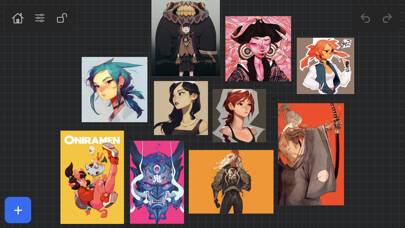
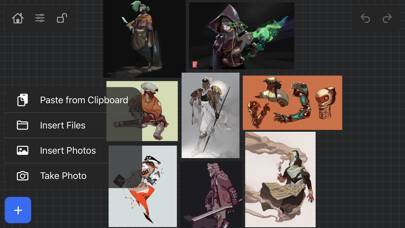
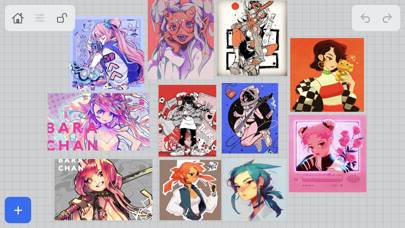
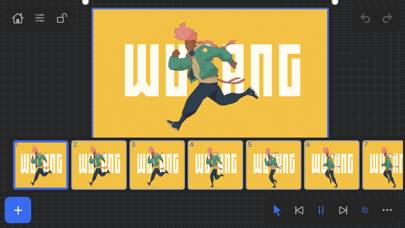
Video: VizRef Lite Overview
Description
VizRef Lite® for iPhone enables creatives to finally take their inspiration anywhere on their phones. *You can not use iPad multitasking features with the iPhone version of VizRef.
Show more
Download VizRef Lite
Scan to Get the App!

Using VizRef Lite on PC or Mac
VizRef Lite can be played on Windows and macOS using Android emulators such as BlueStacks. Download an APK version and follow our BlueStacks installation guide to get started. For help with downloading or installing APK files, visit our forums.
User Reviews and Ratings
★★☆☆☆ App Crashes
Was great while it was working. Not sure what happened but now it’s constantly crashing on both iPhone and iPad.
★★★★★ Able to upload to cloud?
Am I able to upload my folders or images to be able to move them to my iPad VizRef app from my phone vizref app?
I just got this it’s a great app
★★★★★ Great
Really simple app that gets the job done perfectly. Building a reference board is very easy and quick. All very intuitive. Only thing is I wish is that boards synced between the iPad and iPhone.
★★★☆☆ Works great but lacks sync/export
The app itself is simple and easy to use and meets most of my needs, but AFAICT reference boards are saved locally to the device on which they are created and there is no way to copy or sync boards between iPhone and iPad. iCloud support would make both apps 5 stars and well worth the price for both.
★★☆☆☆ Needs iCloud Sync
Read all reviews
The description mentions importing via iCloud, but that apparently that just means being able to add things from there via the file browser. Was under the impression everything would carry over from my iPad and honestly wouldn’t have purchased this version if I’d known.
Similar Graphics & Design Apps
3D Scanner App
Callipeg mini
Color Gear - Palettes creator
Da Vinci Eye: Anyone Can Draw
Top #95 in Graphics & Design Apps
Photobox Widget
Widget Games : Casual Arcade