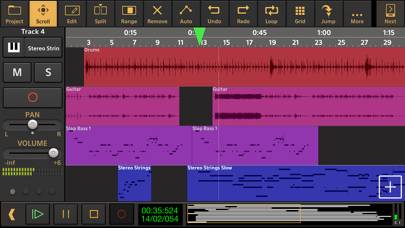
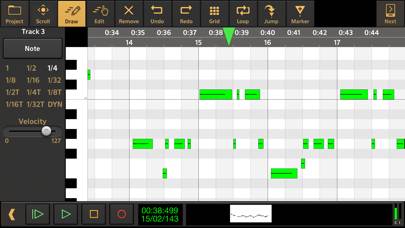
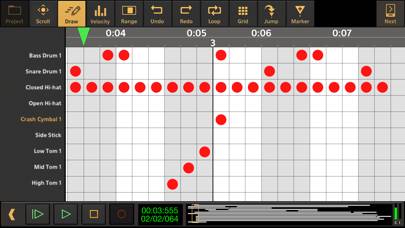
Audio Evolution Mobile Studio è l'app a musica sviluppata da Davy Wentzler. Disponibile per $11.99, è stato aggiornato a v6.50 su October 06, 2024 e attualmente detiene una valutazione 3.86 su 5 in base alle recensioni di 7. Prima del download, assicurati che il tuo dispositivo abbia almeno 180 MB di spazio libero e che esegua Android 10+ o iOS 11.0+.
Video: panoramica di Audio Evolution Mobile Studio
Descrizione
Record your ideas on the go or create entire music productions from scratch, we'll leave it up to you!
Utilizzando Audio Evolution Mobile Studio su PC o Mac
Audio Evolution Mobile Studio può essere riprodotto su Windows e macOS utilizzando emulatori Android come BlueStacks. Scarica una versione APK e segui il nostro Guida all'installazione di BlueStacks per iniziare. Per assistenza con il download o l'installazione dei file APK, visita i nostri forum.
Recensioni e valutazioni degli utenti
★★★★★Almost perfect
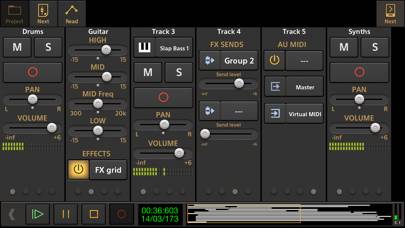
Congratulations for this app! I admit I was rather skeptic, but I’m enjoying it a lot. Please add the time warping in your to-do list. It would make this app simply perfect. Besides, I find the next button in the top-right corner rather unconmfortable. An inversion of the “project” and “next” buttons would be more logical, in my opinion. I guess I found out a little bug: when entering the exact values in the eq fields of the track, these values are not recognised and the sliders behave strangely
★★★★★Undo & Redo buttons for MIDI instruments window
Hello, I would like for Audio Evolution to have the ability to cancel an action with two fingers and return an action with three fingers when recording a midi instrument, or on top of the instrument there are two undo and redo buttons for convenience, you have to constantly minimize the instrument to cancel the action when recording midi notes, do button for auto-quantization of midi notes you always have to do quantization manually, when auto-quantization is unnecessary you turn it off, you nee
★★★★☆Errore marker
Quando carichi più tracce con bpm diversi, ( sequenze ) e aggiungi i marker per usare la funzione “Jump”, tutto va bene finche non salvi il progetto e chiudi l’applicazione. Quando riapri l’app, tutti i marker si sono spostati, rovinando tutto il lavoro precedente! Le ho provate tutte, e anche bloccando i marker con la funzione Lock, il problema rimane. Al momento non mi sta servendo, visto che l’ho acquistato per mandare le sequenze dal vivo.
Il problema con i markers, dopo la mia segnalazione