R-kontrol für iOS & Android
Published by Marko Krueger on Oct 20, 2022
Genre: Musik
Bewertungen: 3.80
Ausführung: 1.5
Aktualisiert: Feb 13, 2024
Downloads: 582
R-kontrol ist eine von Marko Krueger entwickelte a musik-App. Es ist für $8.99 verfügbar, wurde auf Stellen Sie vor dem Herunterladen sicher, dass Ihr Gerät über mindestens 9 MB freien Speicherplatz verfügt und Android 15.4+ oder iOS 16.4+ ausführt.
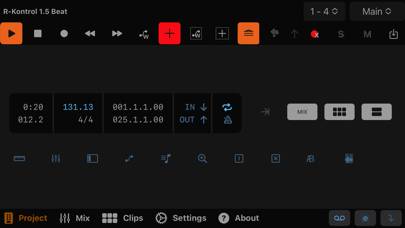
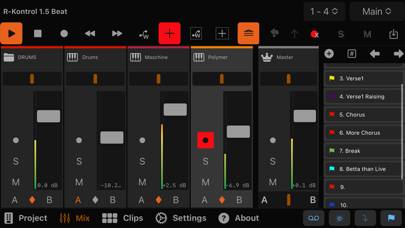
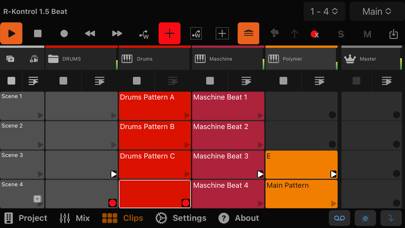
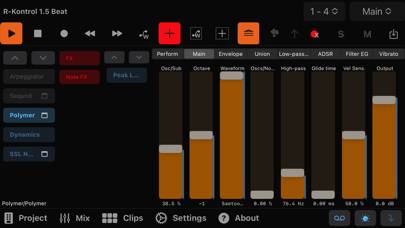
Video: R-kontrol-Übersicht
Beschreibung
Key features:
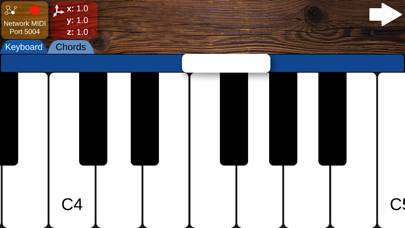
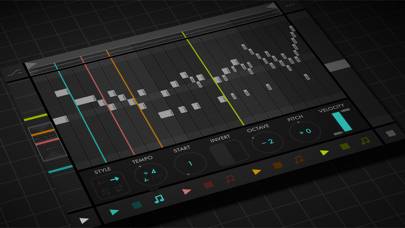
* Remote control of transport and project actions
* Control of mixer, cue markers, groove, clip launcher, remote controls, and send-FX
* Intuitive and easy-to-use interface
Zeig mehr
Laden Sie R-kontrol herunter
Scan to Get the App!

Verwendung von R-kontrol auf PC oder Mac
R-kontrol kann unter Windows und macOS mit Android-Emulatoren wie BlueStacks gespielt werden. Laden Sie eine APK-Version herunter und folgen Sie unseren BlueStacks-Installationsanleitung, um loszulegen. Wenn Sie Hilfe beim Herunterladen oder Installieren von APK-Dateien benötigen, besuchen Sie unsere Foren.
Benutzerrezensionen und Bewertungen
★★★☆☆ ok, but quirky documentation
the steps are not properly ordered in docs and somehow confusing…
starting the very first sentence in a documentation with „When“ instead if a clear advice what to do as first step is confusing.
Also, the app could give some message when it sees the configuration has been set successfully and a connection is established. as far as I see one has to some how find that exploratively…
at best users should not be forced to manually fiddle with ip adresses. but bonjour being used.
★★★★★ Great mobil control surface
I follow this app since launch and I really like it. With the new auto connect freature you get fast remote control to use it at the booth away from the computer.
★★★★☆ not working
The app is just not working. When I start it it shows me that it found a running instance of bitwig, but when selecting it will afterwards just show "searching for bitwig" forever.
★★★★★ Fix für den Bug
Lesen Sie alle Bewertungen
FIX FÜR DEN BUG: Ich hatte anfangs auch Probleme mit der Verbindung, weil die Extension gefault hat. Der Fix: TCP/IPv6 unter Eigenschaften in den Windows Netzwerkadaptereinstellungen aktivieren. Wenn ihr euch nicht zu sicher seid fragt ChatGPT oder so hier ist nochmal ne schnelle Anleitung: Windowssuche öffnen und nach netwerkadapter suchen und dann das Programm starten. Dann den aktuellen Adapter auswählen, Ethernet oder WLAN, dann in den Eigenschaften "Internetprotokoll v6 (TCP/IPv6)" aktivie