Spatialify für iOS & Android

Published by 天 吴 on Dec 08, 2023

Spatialify Symbol

Genre: Foto und Video

Bewertungen: 4.50

Ausführung: 2.2.1

Aktualisiert: Oct 17, 2024

Downloads: 708

Spatialify ist eine von 天 吴 entwickelte a foto und video-App. Das letzte Update, v2.20, wurde auf October 17, 2024 veröffentlicht und wurde basierend auf den neuesten 10-Bewertungen mit 4.50 von 5 bewertet. Spatialify kostet $2.99 und erfordert zum Herunterladen iOS 17.0+ und Android 16 oder neuer.

Video: Spatialify-Übersicht

Beschreibung

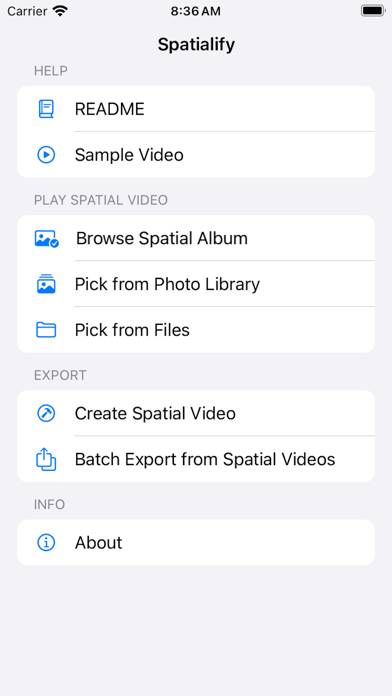
Spatialify is a utility app built around spatial photo and video: • Capture: (iPhone 15 Pro series, iPhone 16 or newer) Capture 4K HDR spatial videos and 12MP HDR spatial photos with Live Photo and Portrait Depth within the app, and launch camera via Camera Control, Action Button, lock screen or shortcuts.
Zeig mehr

Laden Sie Spatialify herunter

Scan to Get the App!
QR-Code für Spatialify

So verwenden Sie Spatialify auf Ihrem PC oder Mac

Möchten Sie Spatialify auf Ihrem Desktop genießen? Laden Sie die neueste APK (2.20, 5 MB) herunter oder wählen Sie Ihre bevorzugte Version und folgen Sie unseren Anleitung zum Bluestacks-Emulator für eine einfache Installation unter Windows oder macOS. Wenn Sie Hilfe beim Herunterladen oder Installieren von APK-Dateien benötigen, besuchen Sie gerne unsere Foren!

Benutzerrezensionen und Bewertungen

★★★★☆ Good but can be improved.
It would be nice if it were possible to save the clips on an external SSD.
★★★☆☆ Wigglemode need a update
PLEASE add the option in Wiggle mode that you can select the focus point of the to sigle images by yourself and automatically superimpose the images. Take a look at the app "Reto 3D", they have such a function. That would be so super great if you could do the update.
★★★★★ Very good and Useful App
App works great and easy. Worth the money an very easy to use.
★★★☆☆ Good app, many tools but …
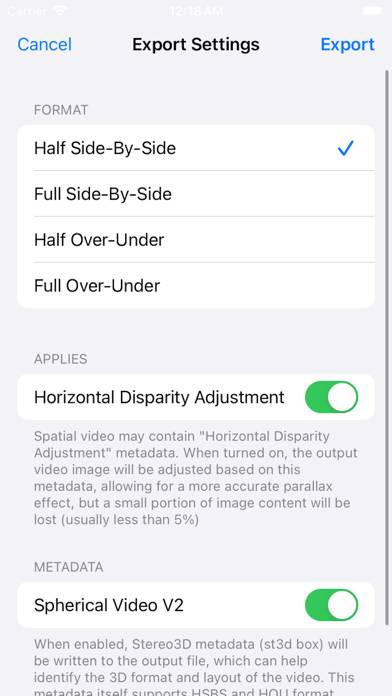
creating a spatial video with the implemented cam, there is an issue with the full sbs export (overlap L&R). No export issue with the same video and parameters, if it is created with the iPhone cam?!
★★★★☆ Use full screen for cross eyed
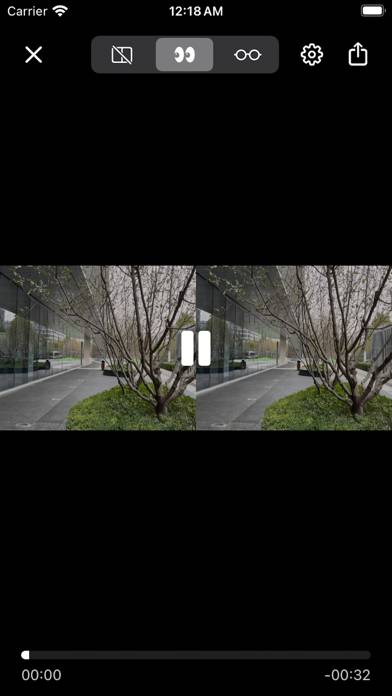
It makes great sense to only use a narrow space for parallel view but for cross eyed viewing you miss out if you don‘t use the full screen. Apart from that: Awesome, thank you for this app, totally worth the money!
Lesen Sie alle Bewertungen

Verwandte Apps

NeuralCam:Bokeh & NightMode Bildschirmfoto
NeuralCam:Bokeh & NightMode
Zoom 100x Camera Bildschirmfoto
Zoom 100x Camera
Top #56 in Foto und Video-Apps
Twitch: Live-Streaming Bildschirmfoto
Twitch: Live-Streaming
Top #54 in Foto und Video-Apps
FILCA - SLR Film Camera Bildschirmfoto
FILCA - SLR Film Camera
Top #81 in Foto und Video-Apps
CapCut - Foto & Video Editor Bildschirmfoto
CapCut - Foto & Video Editor
Spatialify-App-Alternativen