EpocCam Webcamera for Computer

Published by Corsair Memory, Inc. on May 18, 2011

EpocCam Webcamera for Computer icon

Genre: Photo & Video

Ratings: 4.31

Version: 2024.2

Updated: Aug 05, 2024

Downloads: 1,388

EpocCam Webcamera for Computer is a photo & video app developed by Corsair Memory. Available for $7.99, it was updated to v2,024.20 on August 05, 2024, and currently holds a 4.31 out of 5 rating based on 26.2K reviews. Before downloading, make sure your device has at least 60 MB of free space and runs Android 14+ or iOS 15.0+.

Use Phone as WiFi Webcamera
Video: EpocCam Webcamera for Computer Overview

Description

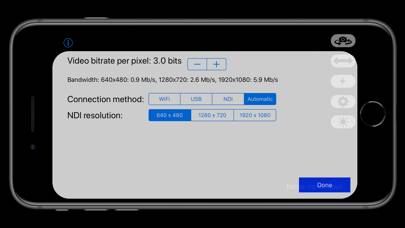
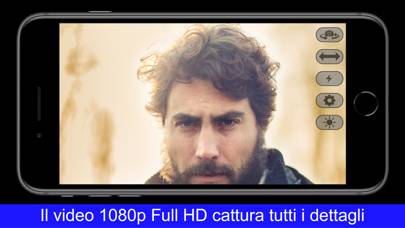
Easily turn your phone into a high definition Mac or PC webcam. Perfect for business, online teaching, live streaming and more, EpocCam works seamlessly with popular video conferencing and broadcast software.
Show more

Download EpocCam Webcamera for Computer

Scan to Get the App! QR code for EpocCam Webcamera for Computer

Using EpocCam Webcamera for Computer on PC or Mac

EpocCam Webcamera for Computer can be played on Windows and macOS using Android emulators such as BlueStacks. Download an APK version and follow our BlueStacks installation guide to get started. For help with downloading or installing APK files, visit our forums.

User Reviews and Ratings

★★★★★ Functional
I'm reviewing so I can use the front camera. Also works on older machines so that's a plus
★★★☆☆ It’s great but there’s a flaw
When it comes to recording and being on calls EpocCam get’s the job done no question, and I love them for it. However, when it comes to live-streaming it falls short. Even with fast internet and the lowest bitrate EpocCam lags behind everything else. And it seems I’m not the only one with this problem. If I could give it 3.5 stars I would, but live-streaming being such a big reason I bought this app it’s almost a dealbreaker for me. I have no doubt that when they fix this it’ll become the bes
★★★★★ 10/10
It has what I need in a live webcam: mirror mode. I need to see how I look as if I was looking at a mirror. My DSLR can’t do this and no webcam is worth $100+ especially when my iPhone can do better. I do wish the app and software had more features it looks pretty barebones and basic.
★★★★★ Make a little easier
Does not like to stay connected
★★★☆☆ Phone gets overheated
Everytime I use it, even for a few minutes, my phone gets overheated a lot. I haven't used it with a usb cable yet (used it with wifi only). Really disappointed.
Read all reviews

Similar Photo & Video Apps

WiFi Camera - Remote iPhones screenshot
WiFi Camera - Remote iPhones
Syncro - stay in sync! screenshot
Syncro - stay in sync!
Live GIF screenshot
Live GIF
MAVIS - Pro Camera screenshot
MAVIS - Pro Camera
Visionn screenshot
Visionn