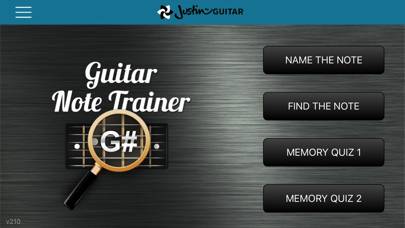
Guitar Fretboard Note Trainer is an education app developed by Justin Guitar. The last update, v2.17, released on June 12, 2020, and it’s rated 4.52 out of 5 based on the latest 149 reviews. Guitar Fretboard Note Trainer costs $1.99 and requires iOS 10.3+ and Android 9.3 or newer to download.
Learn guitar notes super fast
Video: Guitar Fretboard Note Trainer Overview
Description
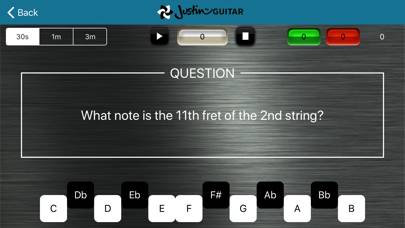
The Guitar Note Trainer is an app to help you learn the notes on the guitar neck - one of the most essential skills for progressing guitarists!
How to Use Guitar Fretboard Note Trainer on Your PC or Mac
Want to enjoy Guitar Fretboard Note Trainer on your desktop? Download the latest APK (2.17, 34 MB) or choose your preferred version, and follow our Bluestacks emulator guide for easy installation on Windows or macOS. For any assistance with downloading or installing APK files, feel free to visit our forums!
User Reviews and Ratings
★★★★★Very Helpful
This app is very helpful and convenient.
★★★★☆Great, but needs one tweak
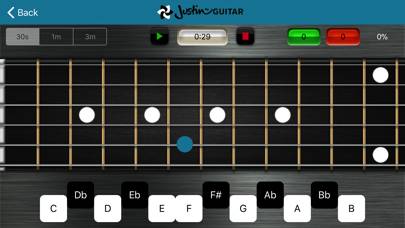
This app is helping me visualize notes on the front board very well. But, there’s one thing that really bothers me, and I saw this mentioned in some other reviews as well. When the note plays, it’s not the note that’s being shown all the time. This really needs to be fixed, since it starts to cause you to associate the played note with that fretboard position. This is a pretty big problem in my opinion.
★★★★★Does exactly what you want!
In an era of subscriptions and over complicating what should be simple tools to justify monthly costs - Justin continues to keep it real. A simple tool - exactly as you need it to be able to practice when you’re away from your guitar. I implore anyone looking for a tool of this nature to spend the $2 and have this tool for life. And while they’re add it consider donating a few bucks to Justin who does great work
★★★★☆Doesn’t play corresponding note!?
The app works fine in that it asks you to name the note highlighted on the fret board. However when you touch the correct note name a random pitch is played. When you touch “C” why not play a “C” tone?
For example the played note may go down when the named note is up. Or the audio note may stay the same even as the displayed note jumps around the fret board.
Misses the chance for some ear training at the same time!
★★★☆☆Where’s the leaderboard?
I like the app, but I wish that the statistics showed most notes found in 3 minutes and the same for the other stuff. Leaderboards used to do that but now they are gone.