Litchi for DJI Drones is a photo & video app developed by VC Technology. Available for $24.99, it was updated to v2.15 on June 04, 2024, and currently holds a 4.54 out of 5 rating based on 2K reviews. Before downloading, make sure your device has at least 308 MB of free space and runs Android 11.4+ or iOS 12.4+.
Unlock your drone's potential
Video: Litchi for DJI Drones Overview
Description
Unlock the full potential of your DJI drone with Litchi, everyone's favorite flight app
With over 5000 successful daily flights, Litchi is the most trusted flight app for your DJI drone
Compatible with: DJI Mini 2, Mini SE (version 1 only), Air 2S, Mavic Mini 1, Mavic Air 2, Mavic 2 Zoom/Pro, Mavic Air/Pro, Phantom 4 Normal/Advanced/Pro/ProV2, Phantom 3 Standard/4K/Advanced/Professional, Inspire 1 X3/Z3/Pro/RAW, Inspire 2, Spark
Litchi for DJI Drones can be played on Windows and macOS using Android emulators such as BlueStacks. Download an APK version and follow our BlueStacks installation guide to get started. For help with downloading or installing APK files, visit our forums.
User Reviews and Ratings
★★★★★Mavic pro
Ii have been using letchi to fly my Mavic Pro, it’s been great!
★★★★☆Fantastic preprogrammed routes! But…
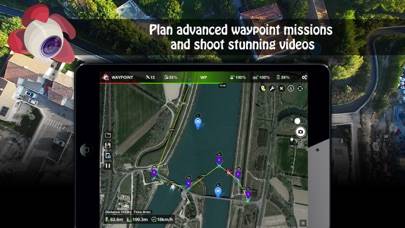
I cannot believe that it took me a year of owning my drone to discover this app. Using the waypoint feature of the DJI go app is bananas for what I do. I need to plan a course out in advance and then run it. Unfortunately, the Litchi app Requires the drone to be within range of the transmitter for gimbal settings to work. Found out the hard way. I am running this on a ranch and at times the drone is out of range of the transmitter was ignoring my gimbal settings. Grrr.
★★★☆☆Pregunta
Como usar litchi con el mini 4 pro
★★★★★Recommend
100% recommend
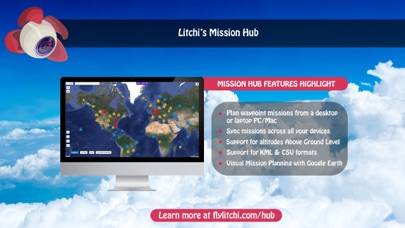
★★★★★Litchi Hub beta Waypoint Mission sims in Google Earth
Using the new Litchi Hub beta, for creating/managing waypoint missions, then simulating them in Google Earth, is really nice. This is a great improvement. I flew a 95 foot mission, on our neighborhood’s private road, with the camera pointing down, then at a POI, and the Google Earth SIM matched the actual drone video quite accurately.