Slør
Published by Kabell & Munk ApS on Sep 20, 2017
Genre: Photo & Video
Ratings: 4.72
Version: 1.2.3
Updated: Sep 26, 2019
Downloads: 336
Slør is a photo & video app developed by Kabell Munk. Available for $3.99, it was updated to v1.20 on September 26, 2019, and currently holds a 4.72 out of 5 rating based on 205 reviews. Before downloading, make sure your device has at least 23 MB of free space and runs Android 11+ or iOS 12.0+.
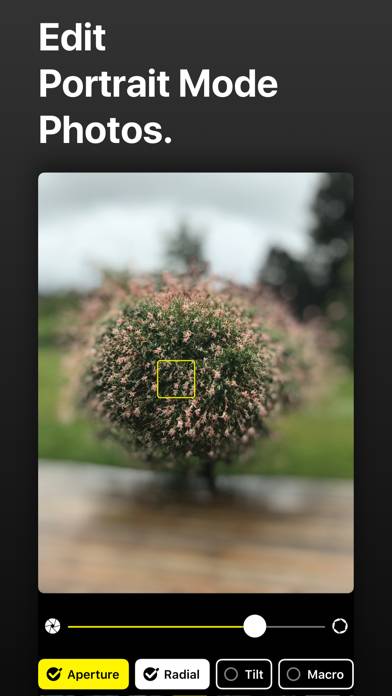
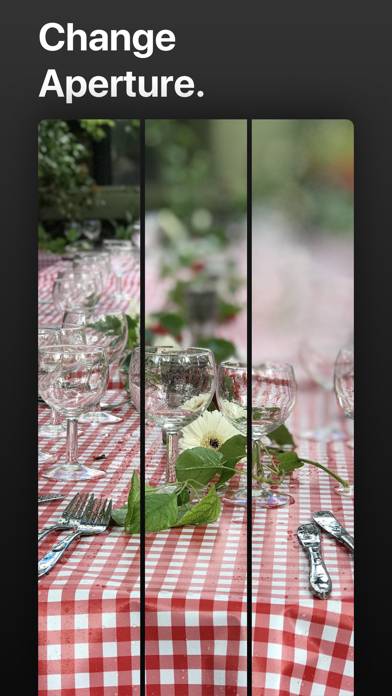
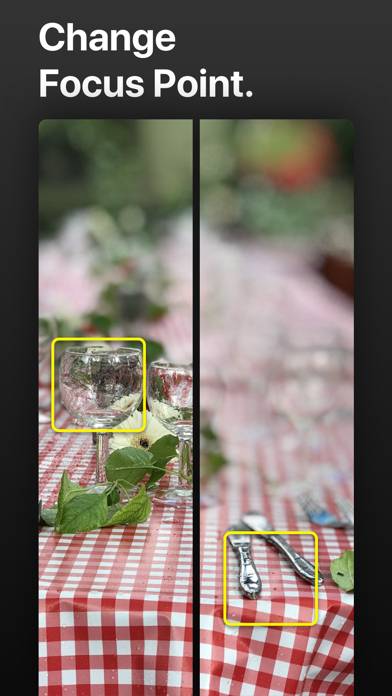
Edit Portrait Mode Photos
Video: Slør Overview
Download Slør
Scan to Get the App!

Using Slør on PC or Mac
Slør can be played on Windows and macOS using Android emulators such as BlueStacks. Download an APK version and follow our BlueStacks installation guide to get started. For help with downloading or installing APK files, visit our forums.
User Reviews and Ratings
★★★★★ Great software
Elegant, effective and useful software. Lovely bokeh effects. Don't know if it possible to record in RAW but that would be extremely valuable. Also, would be nice to get rid of that ghetto shutter animation. Unnecessary and a little annoying. But, a fantastic piece of software and definitely worth $3. Would pay more for software which allowed me to edit the depth map when the iPhone gets it wrong.
★★★★★ Apple should buy this and make it part of iOS!
This is awesome! So many of my portrait photos were “OK” and this app made it easy to improve them with just a tap.
I didn’t read much about this before downloading and thought it would let me edit the depth map itself (like a photoshop mask or something). What it does is actually a totally different approach, and while less powerful than what I expected, it works wonders!
★★★★★ Absolutely Amazing - plus some feedback
This app is crazy amazing.
Agree with another reviewer that it would be great though if saving changes didn’t clear the “portrait” tag. It would also be great to toggle before/after somehow, and be able to save a new copy of the photo rather than edit the existing (esp due to it wiping the portrait tag).
Also what is the relevance of the size of the yellow box, if any? The size of the radial circle seems to have an immediate effect, but not the box in aperture mode.
★★★★★ A Must Have - 5/5
Being able to edit portrait mode photos is something Apple should have brought natively to iOS, but since they haven’t this app is the perfect companion for any casual or pro photographer using any Plus/X model.
Thank you for your response, developer! You told me something I wasn’t aware of.
This app is so good Apple decided to implement this functionality in iOS 12 and the latest iPhone XS.
For those with older devices with a dual camera setup it’s a must have.
★★★★★ The Airbrusher.....
Read all reviews
This is just so AWESOME !
Similar Photo & Video Apps
Beautycam- Selfie Editor
Top #95 in Photo & Video Apps
Dr. Seuss Camera - The Grinch
Top #98 in Photo & Video Apps
HD Wallpapers For Stranger
Add Music To Video