Type Nine - T9 Keyboard is a utility app developed by Rasmus Porsager. Available for $3.99, it was updated to v2.50 on June 16, 2023, and currently holds a 4.31 out of 5 rating based on 172 reviews. Before downloading, make sure your device has at least 48 MB of free space and runs Android 11+ or iOS 12.0+.
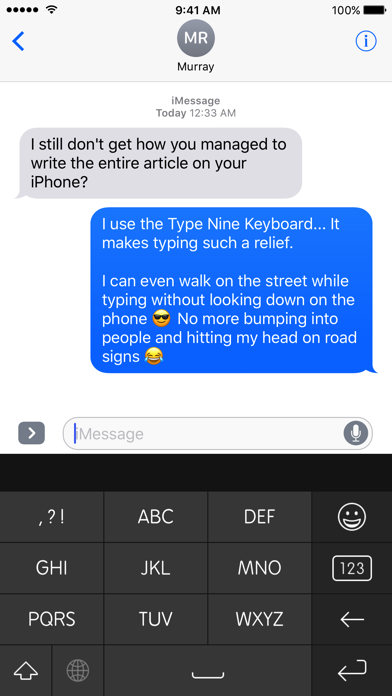
Type faster - without looking
Video: Type Nine Overview
Description
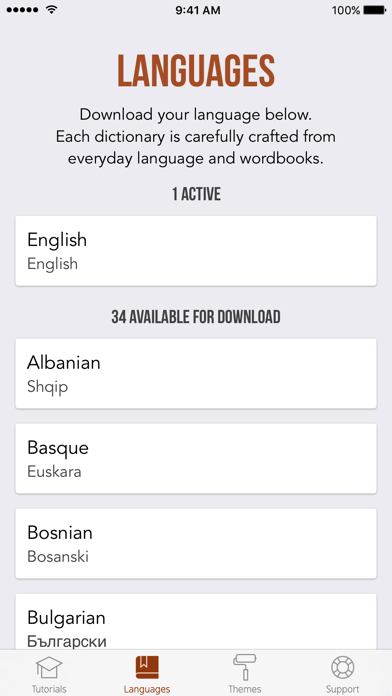
Automatic language detection:
Type Nine suggests words from multiple languages at the same time. No need to switch keyboard to type in a different Language.
Type Nine - T9 Keyboard may be playable on Windows and macOS using Android emulators such as BlueStacks. Follow our BlueStacks installation guide to get started. Looking for Type Nine APK? Visit our forums for help finding authorized downloads, installing APK files, and troubleshooting installation issues.
User Reviews and Ratings
★★★★★Great app, nostalgic and high functioning
Does exactly what it says and does exactly what I need it to, with some fun added tricks you can use to make typing more seamless. All functions explained in the tutorials given, I'm looking forward to getting as good at t9 as I was when I was younger. Also I like the developers sassy responses lol.
★★★☆☆Needs Customization Options
Because I cannot choose different layouts, I am still reaching across the screen for keys I use often, while keys such as emojis and things that I don’t need are easily reachable. I has hoped this would work well to solve my issues with the tiny keyboard but making the T9 keypad smaller just to reach won’t help. I might request a refund if there isn’t a solution.
★★★★★Just installed it and I'm already impressed
Its going to take some time to get used to. But I think I love the idea enough to really try.
★★★★★Awsome keyboard
I like it. Simple and fast.
★★★★★Worth the 3.99
Do the tutorial, it's worth the few minuets. Some of the customizations like adding words, changing the order of suggested words, and split words takes a little practice.
I like how easy it is to switch typing styles between tap and swipe as well as other formatting and navigation options. There is also a manual mode if you want to go super old-school and use multi taps for each letter; I would like if I could adjust the timing in this mode.
Overall, I am very satisfled with this application